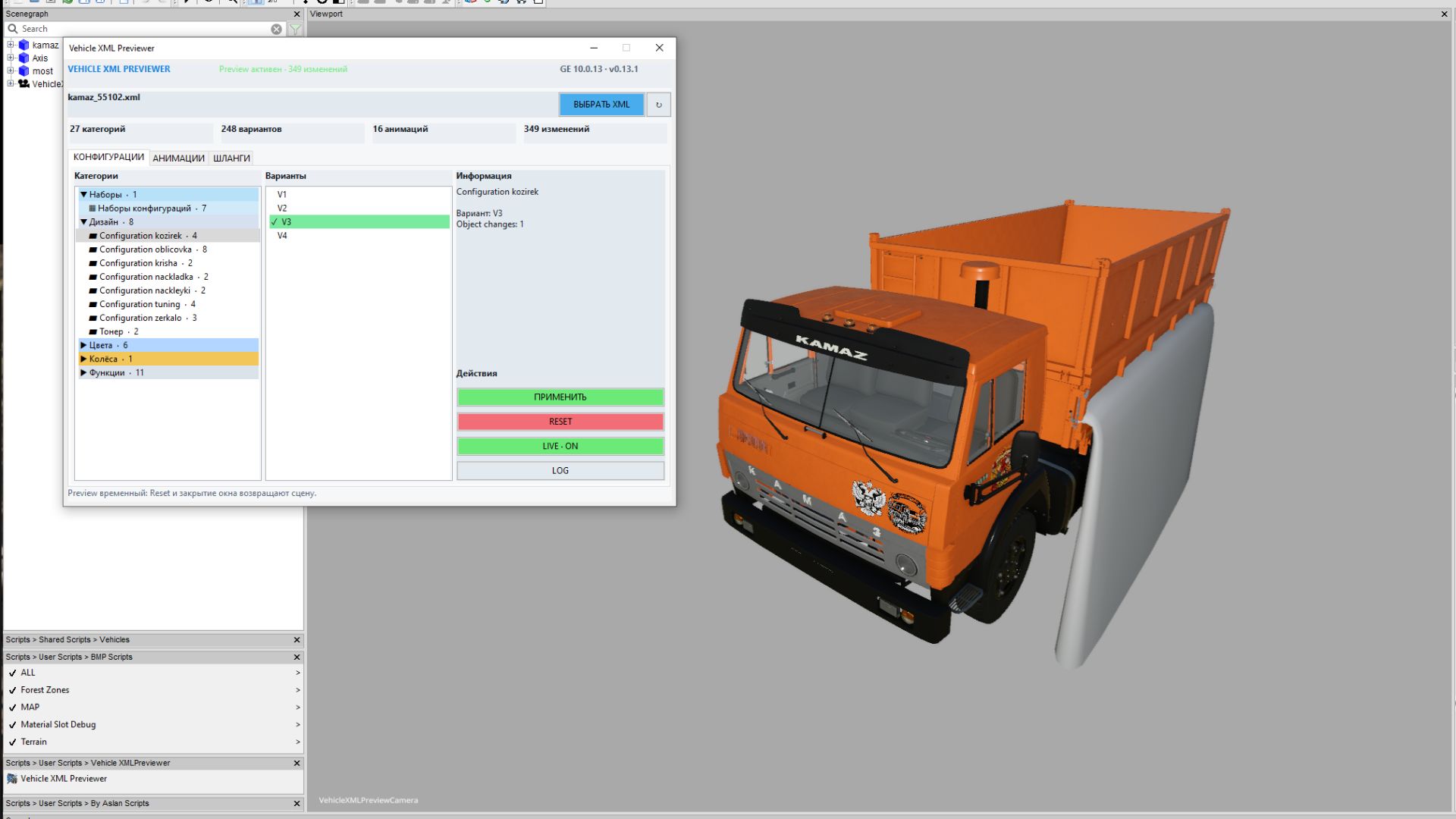
Script Features – Auto‑loads the XML that shares the I3D name. – Shows every configuration category (cabs, hoods, wheels, colors, doors, etc.) and lets you switch options with instant visual feedback. – Respects configurationSets and dependency rules, applying objectChange logic to hide unselected parts. – Reads color/material definitions and pulls in external I3D pieces via dynamicallyLoadedParts. – Lists wheel setups, extra wheels and tracks. – Previews XML‑defined animations, lets you edit them and save back to the file. – Displays and edits connectionHoses/localHose entries, highlighting hoses and connection points. – Can auto‑create a useful camera angle and lighting. – Compact tabbed UI: Configurations, Animations, Hoses. Installation Extract the VehicleXMLPreviewer folder into your GIANTS Editor 10 scripts folder (e.g. C:/Users/YourName/AppData/Local/GIANTS Editor 64bit 10.0.13/scripts). It will appear under Scripts > User Scripts > VehicleXMLPreviewer > Vehicle XML Previewer. How to use 1. Open the vehicle’s I3D in the editor. 2. Run Vehicle XML Previewer from the menu. 3. If a same‑named XML sits beside the I3D, it loads automatically. 4. Pick configurations, animations or hoses from the tabs and watch changes live. 5. Save edited animations or hoses back to the XML. Important Back up your project before writing to the XML; complex mods with non‑standard structures may show slight differences from in‑game behavior.
Credits:
BMProd