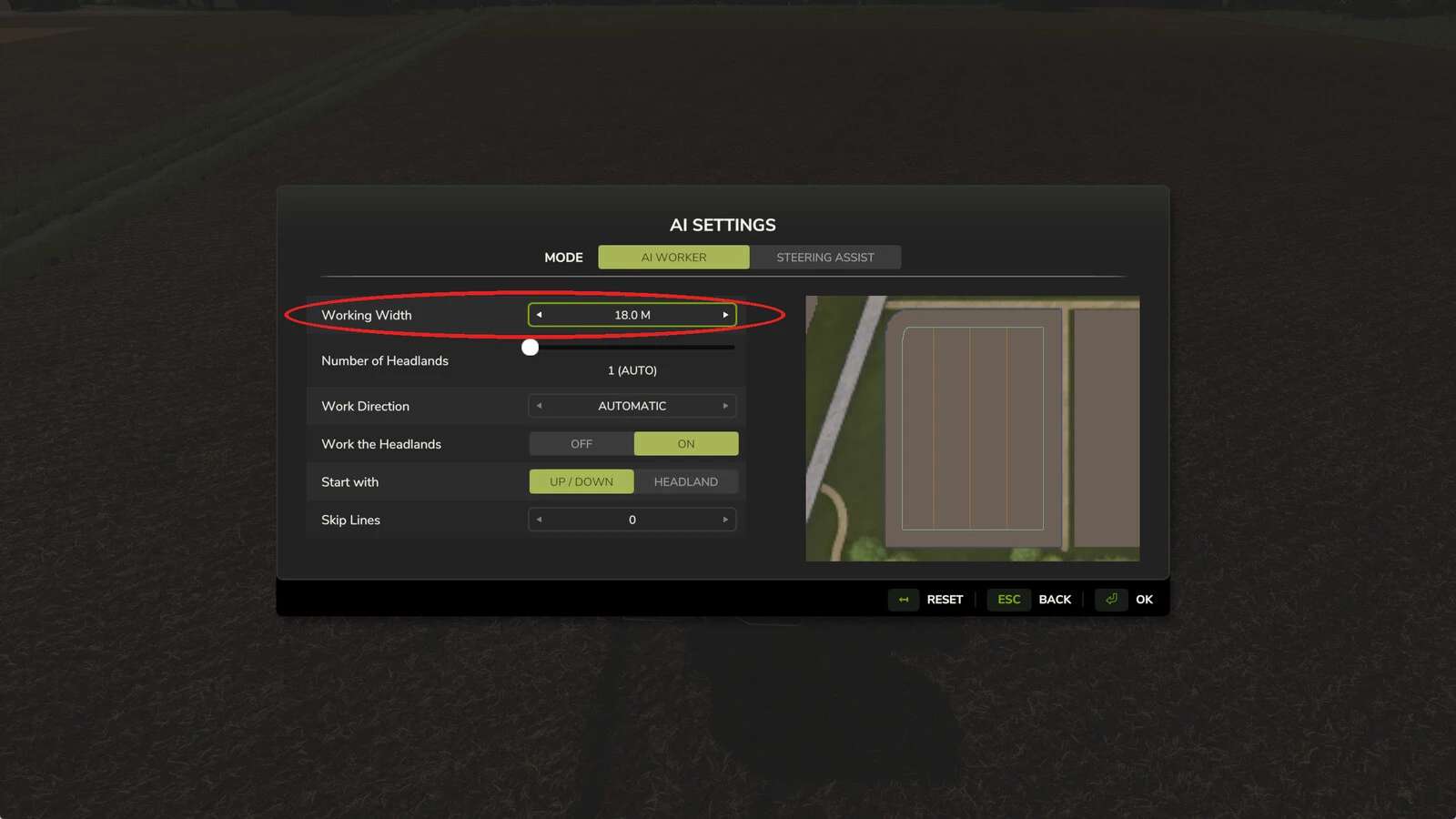
Tired of the game snapping your custom work width back to the implement’s max as soon as you start a job? This little tweak flips the built‑in aiKeepCurrentWidth flag on, so the width you set stays exactly where you left it. Set a spreader or sprayer to 12 m, hand the task to the AI helper or Courseplay, and the sections stay at 12 m instead of jumping to 48 m and spilling outside the field. Safety net If you somehow launch a job with every section closed, the mod lets the game reopen them – an implement with zero width would otherwise break the course. It logs the event for you. Working width and the built‑in AI helper When you hand over a job, the AI helper normally ignores your section setting and uses the full width. Just adjust the Working Width field in the AI settings screen and the mod will keep that width for the whole job. With Courseplay the width is read when the course is generated, so no extra steps are needed. Future updates will make the built‑in helper read it automatically. Compatible with any implement that features variable work‑width sections and plays nicely with Courseplay (tested up to 8.1.0.3) because it only appends to vanilla functions without overwriting them.
Credits:
Bgnak05