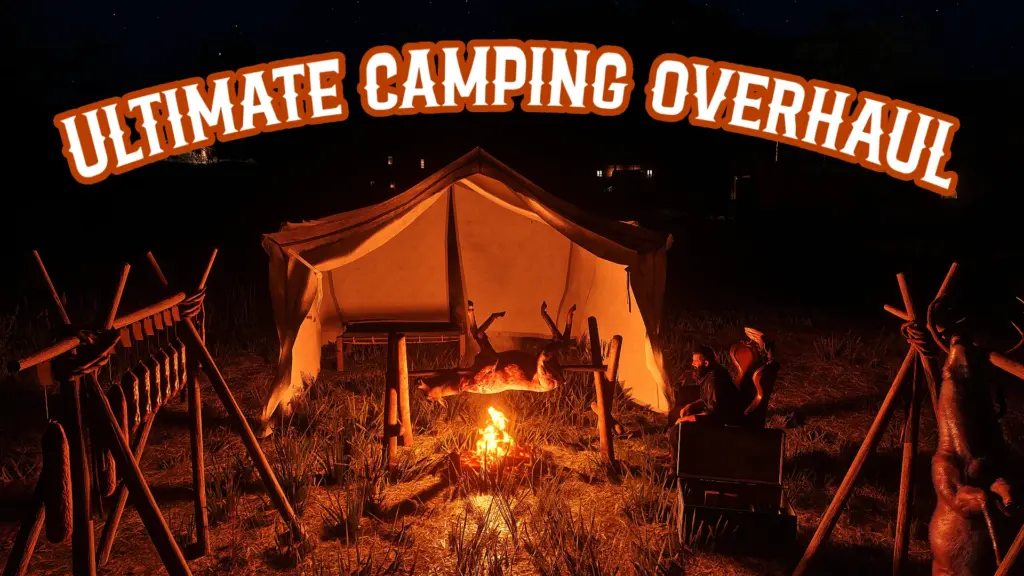
This is a complete overhaul and new system built for a better camping experience. You can customize your own unique campsite, save your campsites layout, store ammo and money in a chest, hang and cook animal carcasses for more resources, fast travel, and much much more!
Installation:
*Ensure you have ScriptHook V2 installed properly (This works with Alexander Blades Scripthook as well)*
Download the current version of UCO
Open the Zip, and drag UCO.ASI and UCO.INI into your main RDR2 file directory, where you installed Scripthook
When you first set up a camp you should get a .dat generated called Camplayout.dat
If you do not see the .dat, you must ensure that you set BOTH RDR2.EXE, and playRDR2.exe to be run as a administrator, this allows my mod to create and write its .dat files, which store your campsites position, camp chest contents, and camp supplies. This mod will not function properly without those.
This mod will allow you to set up a campsite anywhere, you can set up different objects around your campsite, and then save the layout exactly as it is.
You can then tear down your camp with a single button press, and set back your camp up exactly how you had it saved anywhere else you would like.
These camps will persist between game sessions, and always stay on the map once created.
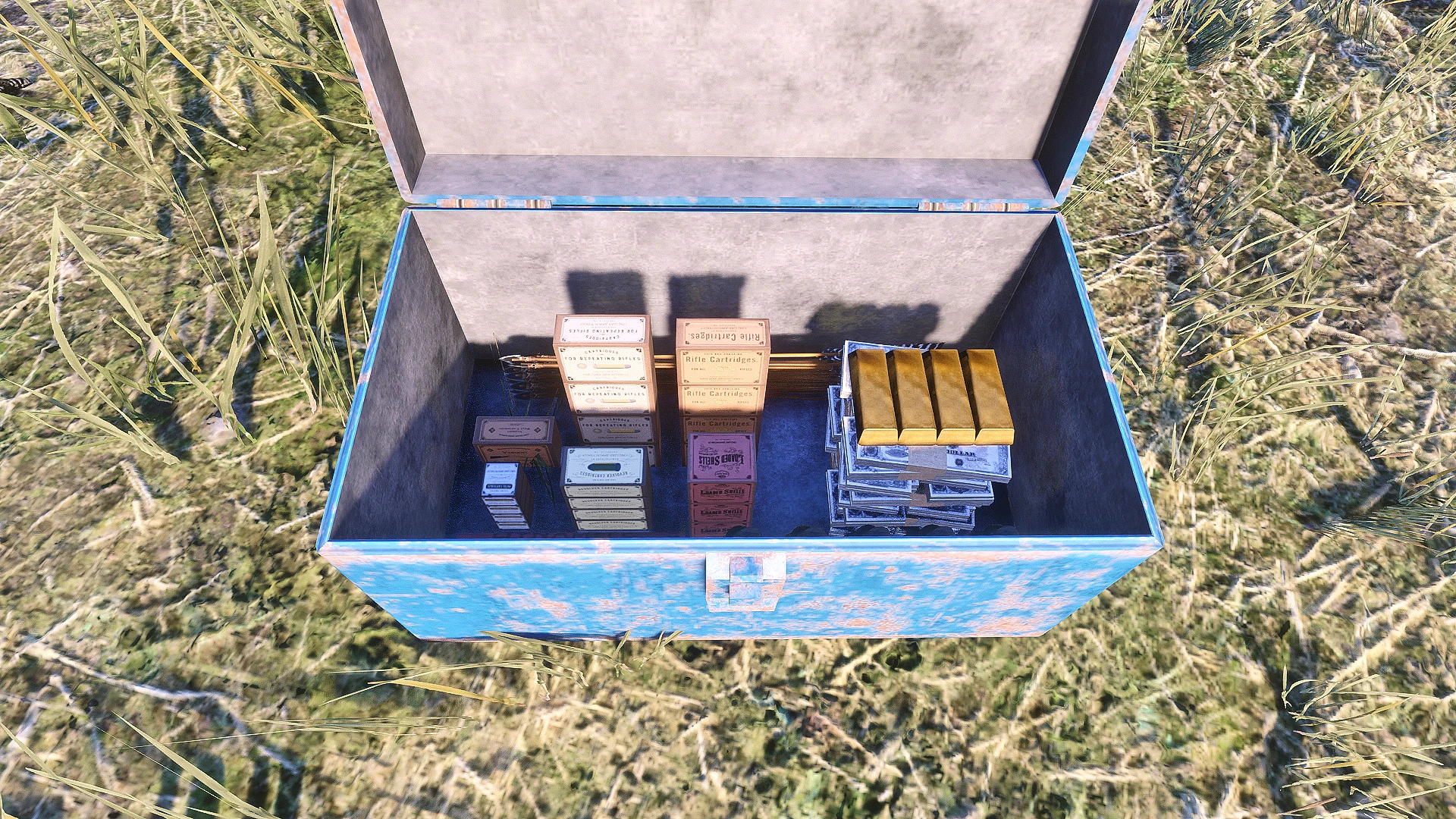
You can store your ammo and money inside a chest that will dynamically show the loot inside based on the amount you added.
You will gain access to a new resource called “Camp Supplies” these can be used to fast travel, sold for extra money, or you can even eat them for core regen. You can also spend camp supplies to clean animal carcasses you hang in your camp, as well as gaining camp supplies from cooking carcasses.
HOTKEYS:
Open Prompt Menu
Keyboard : Push K Button on Keyboard (Configurable in the ini)
Controller : Push LS + A Button (Configurable in the ini)
Pushing K on keyboard, or LS + A on a controller will bring up the camp prompt menu. From here you will see new prompt options pop up in the bottom right hand corner of your game screen.
Exit, Campfire, Tent, Chest, Seat, Fast Travel / Camp Supplies, Set Up/ Tear Down Camp, and Save Layout, these are all of the prompts and will be explained in further detail below.
The prompt menu will stay open as long as the character is moving, it will automatically close after 7 secs of the character being still, or you can push exit to close out of the menu at any time as well. These prompts may disappear and get replaced by other prompts, so if you are too close to thing like a campfire, the campfire prompts will overwrite these prompts until you get away from the campfire.
When you activate a prompt the object will be spawned in front of the player, pushing the prompt again for that object will remove it if it is spawned.
This mod provides the player a new resource called “Camp Supplies,” by default (you can turn it off in the ini) this mod will require camp supplies for you to initially set up your camp. Once you have placed your first object and the campsite blip is on your map, you are then free to place any other object free of cost, you are only charged the camp supplies when a camp is first initially made (when the blip is created).
Camp supplies can also be bought/ sold, used in fast travel, and consumed by the player for core regen. These will be explained in further detail below.
You can gain additional camp supplies naturally by playing the new cooking minigame this mod adds in. More details below.
You can go to any of the general stores, or butchers in the game, and you will now be able to buy / sell camp supplies to that vendor. You will see a unique prompt to either Buy or Sell, within the ini you are able to set and change what this prompt button will be.
You can also edit the amount of camp supplies you are buying or selling, as well as the amount of money you will be charged or receive. Allowing you to control and set what kind of economy you want this new resource to add.
*Mods that add prompts to these specific peds may overwrite my prompts, ensure you change the prompt button to be compatible with other mods if you see their option over mine. Same for mods that replace the ped models for general stores, or butchers this may cause my prompts to not appear properly*
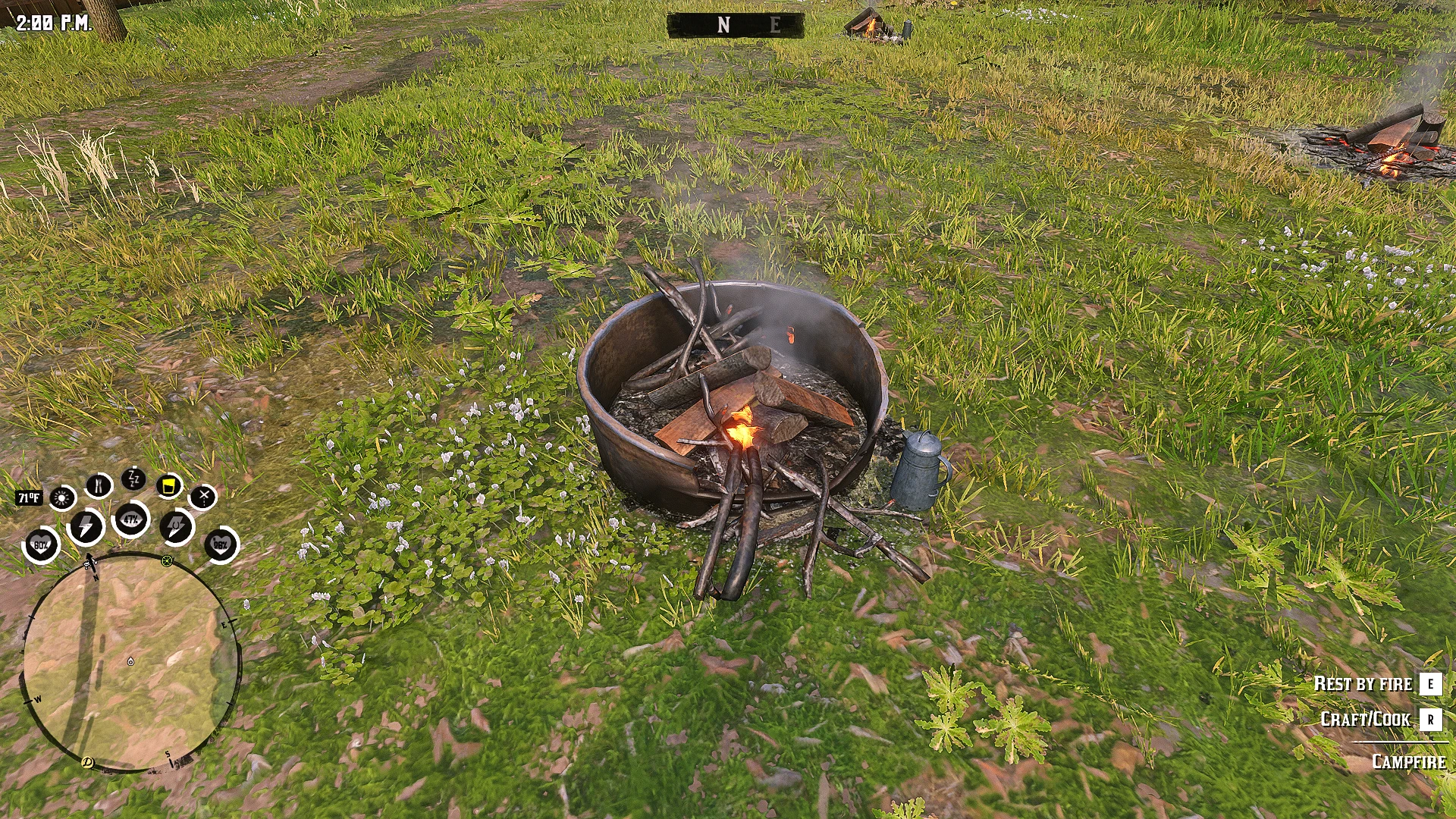
There is a total of 9 different campfire models you can choose from, make sure you go through the images and pick the number you want, typing that into the ini.
These campfires will allow you to rest by them, and cook/craft like any other functional campfire. However these campfires DO NOT HAVE A GRILL, you will not be able to cook any of the special provision recipes.
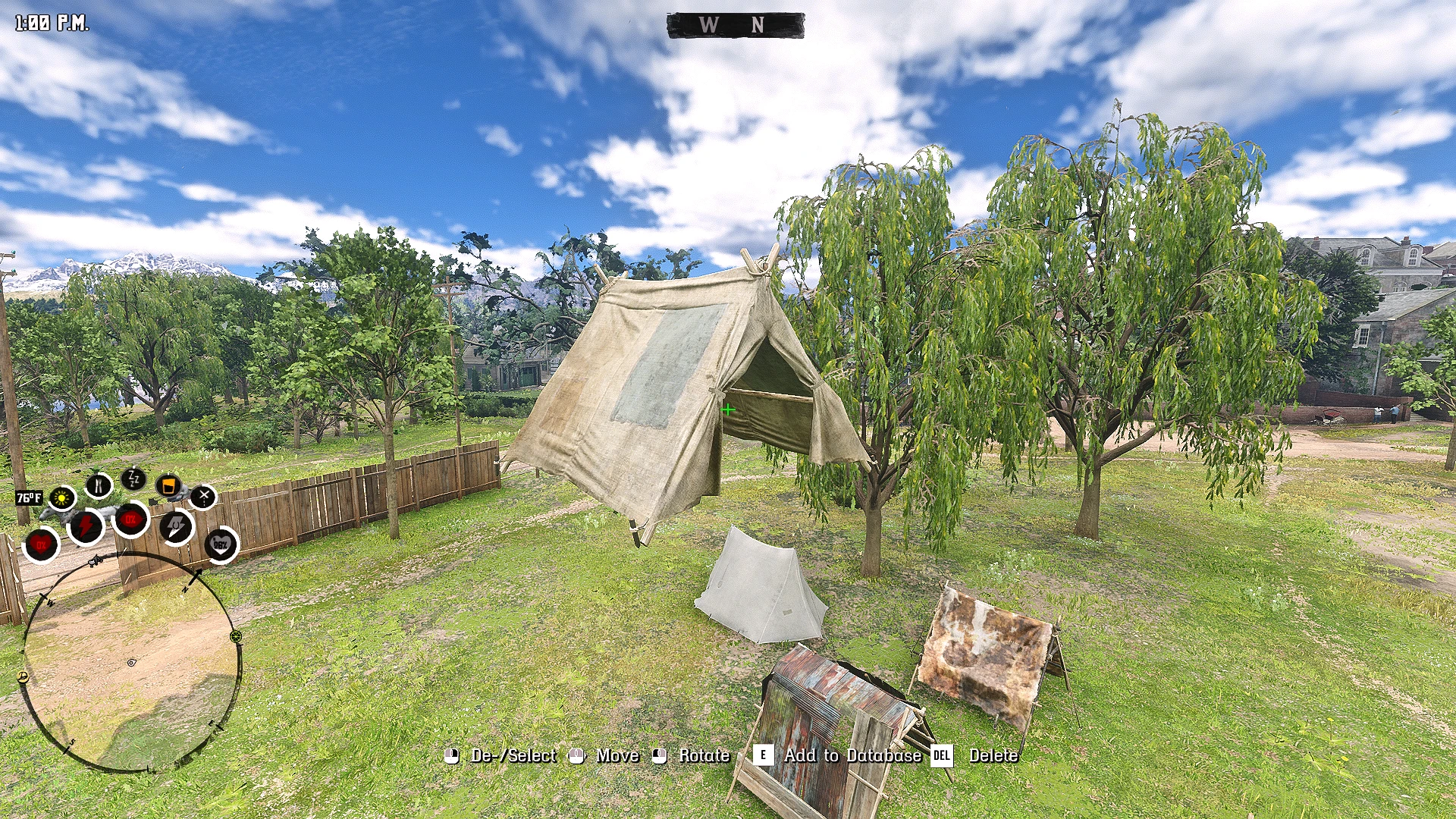
There is a total of 30 different tent models you can choose from, make sure you go through the images and pick the number you want, typing that into the ini.
The first 13 tents are small tents, these tents will come with a bedroll attached to them (you can disable this option in the ini). These smaller tents do not require you to set up a bed, the player will be given the sleep and sit prompts when near the entrance of this tent.
The larger tents allow the player to set up their camp objects inside it’s space, but will require a bed to sleep in. These tents DO NOT COUNT AS A INTERIOR, they still will count the player as being outside.
Some of the larger tents have open flaps allowing the player to walk through both sides, and giving the tent flaps physics, be careful of catching these on fire.
There is a total of 6 different bed models you can choose from, make sure you go through the images and pick the number you want, typing that into the ini.
These beds will allow the player to sit and sleep in them, allowing for the games natural rest function to play out. There is a dominate side of the bed on which you will see these prompts.
HOTKEYS:
Open Chest Menu:
Keyboard : Hold R key for ~1 sec while next to chest
Controller : Hold X button ~1 sec while next to chest
Navigate Menu
Keyboard: Arrow Keys (Navigate), Enter (Accept), Backspace (Go Back)
Controllers: D-Pad (Navigate), A Button (Accept), B Button (Go Back)
There is a total of 14 different chest models you can choose from, make sure you go through the images and pick the number you want, typing that into the ini.
These chests will dynamically store your money, and ammo showing the amount that is stored inside the chest with real in game objects.
To access the chest menu to store your ammo or money, you must be near the chest and you just activate the same prompt to “Open” the chest. The trick with this is that you want to hold down the button to the prompt down until the menu pops up. If the chest is already opened you can hold down R key / X Button when near the chest to bring the menu back.
This menu will have two options, Ammunition or Money, clicking on ammunition will bring you to a list of all the weapons in the game. Once you select the weapon you will be brought to all of the ammo types for that weapon, select the ammo type and then you are able to store or take that ammo. Money works the same when you click on it it will bring you to a menu that shows store and take.
The amount of ammo or money you put into the chest will spawn objects dynamically showing how much of something you have inside of the chest always. This works for money in intervals of 0-$100 for the small bill, $100-$250 for the medium bill, $250-$500 for the large bill, and then every additional $500 past that will add another large bill stack into your pile. This pile will continue to grow until you reach $6,000, after that you will gain a gold bar every $1,000 up to 4 bars for a grand total of $10,000. You can continue to store more money past this, there is no actual limit to how much you can store, this was just the physical limit I set to keep the amount of objects being spawned in limited as well as to fit inside the chest.
For ammo you are able to see up too 200 bullets for each weapon, the total of 200 includes all ammo types for that weapon. So if you have 100 regular and 100 express rounds then you will have the max objects spawned for that weapons ammo. Every 50 bullets for that weapon will add a ammo box you can see inside the chest. Arrows will add additional bundles every 15 but physically cap at around 50, dynamite will add every stick but only show 6 sticks, and up to 5 Molotov can be seen. Just like money you are not limited to any amount for storing this is simply the cap for the objects that will spawn in.
There is a total of 20 different seat models you can choose from, make sure you go through the images and pick the number you want, typing that into the ini.
These seats will require a another mod to actually use and sit in currently(I will try to add a sit feature to all of these seats in a later patch). The feature should be possible to make I just did not have to time to fully design this part, I will have the mod I use to sit in chairs posted in the recommended mods under the Q&A section.
Seats also will always spawn facing the same direction as the player.
HOTKEYS:
Navigate Menu
Keyboard: Arrow Keys (Navigate), Enter (Accept), Backspace (Go Back)
Controllers: D-Pad (Navigate), A Button (Accept), B Button (Go Back)
My mod adds its own version of Fast Travel available to the player not just at your campsite, but now you are able to fast travel from anywhere.
To fast travel the player must first access the Fast Travel/Camp Supplies prompt, a menu will be brought up, you want to go to the first option which is Fast Travel.
Once you are in the Fast Travel menu you will have 3 options, Camps, Towns/ Cities/ or your campsite. Going into camps will show all the camps from the games story, Towns/ Cities will be every settlement in the game, and the campsite will be the one you have set up from this mod.
You must have camp supplies (you can disable this in the ini) to actually initiate the fast travel, the amount of camp supplies it will take is based on the distance of the player to the destination you are travelling to (configurable in the ini). All of this information will be shown at the footer of the menu.
When you initiate a Fast Travel time will pass accordingly based on the distance you have traveled as well.
If your saddle horse is near you when you initiate a fast travel, your saddle horse will be brought with you. You will see at the bottom of you menu if your saddle horse is linked or not, if it is not linked it will not be brought with you.
HOTKEYS:
Navigate Menu
Keyboard: Arrow Keys (Navigate), Enter (Accept), Backspace (Go Back)
Controllers: D-Pad (Navigate), A Button (Accept), B Button (Go Back)
This menu is the same menu you opened to get to the fast travel feature, it lives under the prompt Fast Travel / Camp Supplies.
This menu will allow you to convert your provisions into camp supplies, consume your camp supplies, set up / remove supplies rack, and reset your camp.
When you select Convert Provisions you will be brought to another menu that will show all the provisions in the game, when you select that provision it will be broken down. You will see at the bottom how many you camp supplies you currently have, and how much you will get from that provision. These values are all broken down and editable in the ini.
When you select Consume Camp Supplies the player will eat some of your camp supplies, and you will regen parts of your health, stamina, and/or deadeye cores. If the player eats camp supplies while they have 100% of a core, it will then become empowered. All of these options are ini configurable, the amount of supplies you eat, which cores regen, do cores overpower, how long do they stay overpowered.
*CONSUMING CAMP SUPPLIES IS 100% COMPATIABLE WITH BASIC NEEDS AND WILL COUNT AS EATING*
When you select to Set up / Remove Supplies Rack, this will place a rack in front of the player, this rack will persist and load in just like the campfire, tent, bed, etc. This rack like the chest will dynamically show different objects based on the amount of camp supplies that you have. For every 5 camp supplies you will get a small stick of cured meat, 10 of these fit onto the rack. Once you reach 50 every +15 camp supplies will replace the small meat stick with a larger one, going up to a total of 200. After that every +30 Camp supplies will swap the large meat stick into a large meat shank, this will go up to a grand total of 500 camp supplies that can be shown dynamically. You can have more then 500 supplies, this is only the cap to the amount that will be shown dynamically.
Pushing and holding the save layout prompt will take the players current position and save your campsite exactly as it is relative to where the player is standing and facing.
This means that when you set up all the elements to your camp, you can permanently save the way you camp looks and as long as you do not overwrite it by clicking the save prompt again. When you set up you camp again using the Set up / Tear down prompt the camp will be set up exactly how it was when you had saved it.
Only the campfire, tent, bed, chest, seat, and supply rack will be saved, hanged carcasses and cooking carcasses will not be saved.
When this prompt is activated, if there is no active camp site, it will set up the campsite you have in your saved layout.
If you do not have a saved layout you will get a message saying “No camp layout saved”.
If you already have a campsite set up and you activate this prompt, the current campsite you have will be torn down, this will work from anywhere on the map.
When you set up camp, camp supplies will be consumed normally based on the amount set in the ini.
This function lies inside the Fast Travel / Camp Supplies menu, what this feature will do is simply delete and respawn your current campsite.
What this is used for is that sometimes the campsite objects will not spawn properly, they will be registered in the world space and your campsite blip will be active, but no objects will be there. This will fix that and reset the camp so it will be set up correctly.
This usually will occur in the instance where the player has their campsite placed lets say in a area near Sant Denis, and then the player saves and loads the game in West Elizabeth. Since the player loads in on one side of the map, the part of the map with your campsite does not load in until the player gets closer. My mod attempts to load the camp you have regardless if the map is loaded in and it attaches these objects onto the ground. If the map is not loaded in properly in the area where the campsite was placed objects will not load in properly. This is when you will use Reset Camp.
Resetting a camp does not consume ANY camp supplies.
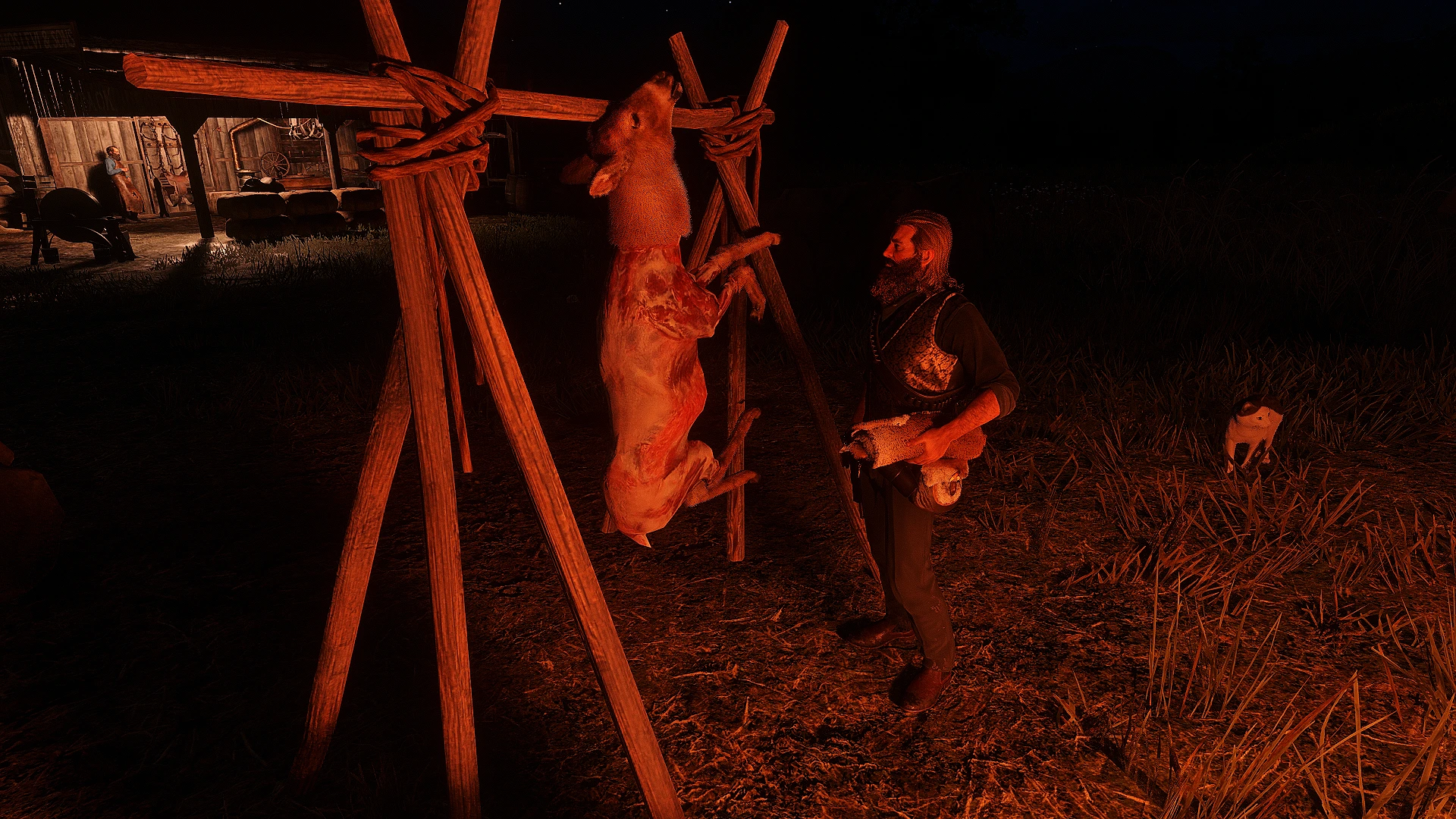
While the player is carrying a UNSKINNED ANIMAL, so just a regular fresh animal carcass, and you are near your campsite you will be given a new prompt “Hang Carcass”.
When you activate this prompt a rack will be set up in front of the player with the animal you were carrying moving onto the rack.
You may only have 5 racks spawned in at one time, you must use the “Remove A Rack” prompt you will see when near the now hanging carcass. This will get rid of the rack leaving the animal to fall to the ground. You can also remove the rack after you pick up the animal off the hook, or by walking up to the rack when there is no animal on the hook.
While a animal is hanging you can activate a new prompt called “Clean Carcass”, at the cost of camp supplies (ini configurable) you will be able to clean the animals carcass giving you a perfect quality pelt and carcass.
You will be able to quick skin all animals that require you to skin them on the ground (deer, goats, wolfs, coyotes, cougars, etc.) pretty much all the medium to large animals you can carry. All of the smaller animals, like vermin, birds, and snakes you will not able to skin while on the hook, you must first pick them off of the hook and then you can skin.
HOTKEYS:
Keyboard : Q (Roll Left), E (Roll Right)
Controller : LB (Roll Left) RB (Roll Right)
While the player is carrying a SKINNED ANIMAL, if you approach the placed campfire from this mod only you will see a new “cook carcass” prompt.
This prompt when activated will move the carcass you are carrying onto a spit over the fire. When you approach the fire you will now have two new prompts “Start Cooking”, or “Remove Cooking Rack”. Make sure you do not walk to close to the fire or you will see the camp fire prompts.
When the player selects “Start Cooking” the mini game will begin, first the camera will shift to the campfire and animal carcass, then you will see at the bottom a message display saying: Ready, Set, GO!!!!!. After this a timer will begin (ini configurable) this is when the game starts, the objective is to actually cook the meat by letting it light on fire for a bit. The animal carcass will catch on fire if it is not moving, by pushing the prompts to Roll Left or Right you can rotate the animal carcass, once the carcass rotates enough the fire will go out. You must balance this out to properly cook the meat, which in the end you will be awarded with additional camp supplies. This is based on the animal size, how it was cooked, and the quality of the carcass.
You may only cook one animal carcass at a time, if you would like to cook a different carcass you must activate the “Remove Cook Rack” prompt and this will break down the rack placing the animal carcass you had behind the player.
Q: Can I use this mod with Camp Anywhere?
A: I would not recommended using both of these mods, for one they use the same exact key binds, and functionally, my mod serves as a replacement over camp anywhere.
Q:Why can I not rotate certain animals fully in the cooking minigame?
A: Due to the nature of how I rigged up the animal carcass, most medium to larger animals did not like hanging in a uniformity. So I did the best I could by still providing some level of rotation for them while maintaining the position on the spit properly.
Q: Why do I need a separate mod to sit in the seats?
A: I forgot that sitting in chairs was not a native game function and came from a mod I use. I kinda realized this while making the mod page so I did not have time to implement it yet. Should be done soon.
Q: Why does the animal carcass I hang have a different fur coat then what it was?
A: This is something that I am able to implement, it just required a lot of work to get it to read the coat of the animal you are carrying properly. This will be on one of the first few patches when I have the time to work on this.
Q: Will there be more props added like new campfires, tents, beds, etc.?
A: The campfire, beds, and tents are all objects that already have their usable prompts associated with them, this is something I did not add, this is why you are only limited to these options out of all of the other types of campfires, beds, or tents. I might be able to add those prompts to objects that do not natively have them, but associating the prompt action with the game action of like cooking/crafting at a campfire, or sleeping in a bed I might not be able to replicate.
Q: Will there be more objects and props I can add into my camp?
A: Much like the supplies rack, I can tie props to be spawned in from a menu rather then prompts, I had thoughts on making a camp crafting system, but would require more feed back on this mod and that idea first.
Q: What other mods would you recommend with this one?
A: Basic Needs Final Cut, Most Wanted – Ultimate Bounty Hunters, Smoking Complete, and Seats(Use this to be able to sit in the camp seats)
Credits:
AlejahH
If the download link is outdated or doesn't work, you can add your download link. (If your link is valid, we will approve it within 24 hours.)
Download mod
| File | File size |
|---|---|
 UCO 1.0
|
188 KB |