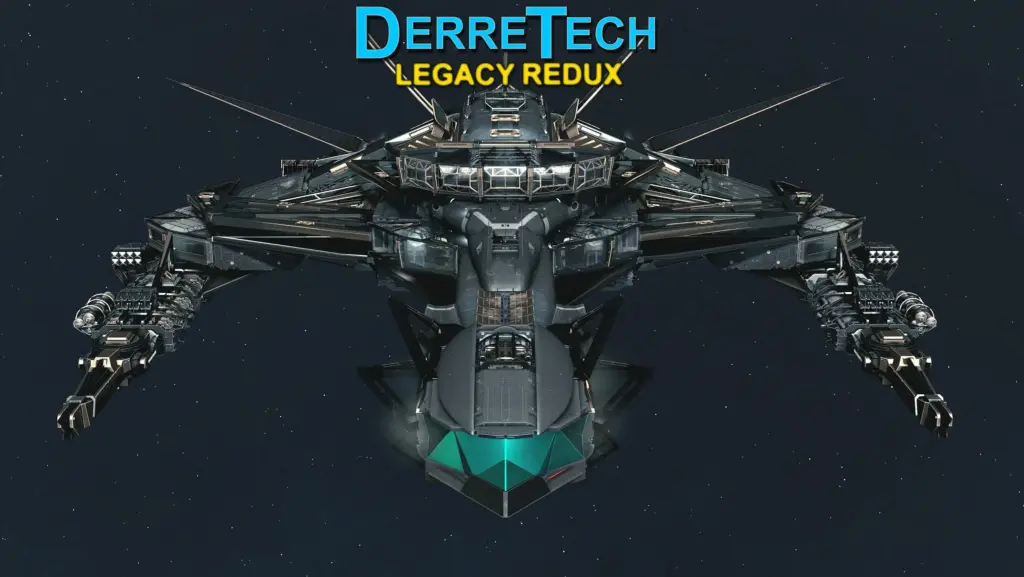
This is the original DerreTech Legacy mod, updated to work with game version 1.11.36+ and modified so it can be used along side the newer DerreTech mod for greater ship building options. This effectively makes the original DerreTech Legacy a separate and independent mod, so if you install this and the new DerreTech you will have all the parts from the original AND the new versions.
The following process was used to convert the original DerreTech Legacy to an independent mod for game version 1.11.36+:
Used SF1Edit to modify the Static and Moveable Static .NIF paths to DerreTechLegacy instead of DerreTech.
Used SF1Edit to rename ship builder parts to include “L1” designation so they can be easily differentiated from the new mod’s parts.
Changed the data folder mesh path to DerreTechLegacy to match the above edited .NIF paths avoiding conflicts with the new mod.
Slightly offset the ship builder menu sort order to avoid a bug where identical sort numbers from the new DerreTech mod cause parts not to show.
Ran the mod through jmpz11’s Starfield .nif Mesh Path Migration Tool for SF 1.11.36.
INSTALLATION:
NOTE: This mod is for game version 1.11.36+ only!
You do NOT need the original DerreTech Legacy installed for this mod. In fact you should remove it. This mod is standalone.
First, if you have the original DerreTech Legacy installed it should be removed to avoid duplicates and conflicts with the new mod.
It is best to manually remove any DerreTech Legacy parts from your ship manually and create a new save before removing the old mod and installing this one, however I was able to simply remove DerreTech Legacy’s .ESM from my plugins.txt, load the game and save before installing this version to clear all parts from DerreTech Legacy from my ships without the hassle of needing to get the ships into a state where they could be saved in the ship builder after manual removal left many floating parts.
Install this mod as normal and add *DerreTechLegacy.esm to your plugins.txt file.
ISSUES TO NOTE:
These are issues from the original mod that still exist and which you need to be aware of:
Connecting a ramp directly to your bay can get you stuck when spawning into the ship. It’s due to the shape of the ramp. Just don’t connect one directly to the bay
Connecting one of my habs directly to your bay can sometimes make you load into the cockpit when entering your ship
Decorating the Observation Deck is finicky. Move around to the far ends- that seems to help
The [main story spoiler] function of the cockpit that you can use very late in the main story can appear in strange places around your ship
The Y-Sym somehow prevents nearby ladders from being activated.
The optional door/ladder file is generally awful. It doesn’t look great in the ship builder. It doesn’t create actual doors- only doorways. The ladders are not activate-able. It does enough of what I intended; I don’t care about it beyond that.
Selecting a weapon then clicking and dragging it will not highlight the equipment attach points on the Neo-Howtizer. The equipment attach points still work, it just looks like they won’t.
You CAN install the newer DerreTech mod alongside this mod without conflicts and both mods’ parts will show up in the ship builder.
This is fully compatible with the newer Matilija’s Aerospace. The only conflicts are geometry files and they are identical between the two mods.
CONFLICTS & PATCHES:
Patches made for the original DerreTech Legacy mod will work with this one with only one simple edit:
You will need to have a DerreTech.esm file in your data directory along with this mod’s DerreTechLegacy.esm. Since the main point of this mod is to let it work with the new DerreTech mod to have parts from both, I recommend installing that mod which will install DerreTech.esm. Enable both mods in your plugins.txt.
Install whatever DerreTech patches you want to edit to work with this mod and enable it in your plugins list to load after DerreTech.esm and DerreTechLegacy.esm.
Download SF1Edit and extract it somewhere. Create a shortcut to SF1Edit64.exe then right-click it and after the quoted path in the Target field add the following without the quotes:
” -IKnowWhatImDoing -AllowMasterFilesEdit”
Double-click the shortcut. Right click in the plugin list and select none, then check DerreTech.esm, DerreTechLegacy.esm, and whatever patches you want to edit then hit OK to load them up.
Expand the plus next to the patch file, and expand the header section. Right-click DerreTech.esm and click edit, then rename it to DerreTechLegacy.esm. Then close SF1Edit ensuring the box to save changes to the patch is checked. That’s it!
Alternatively, you could rename the new DerreTech mod to something like DerreTechNew.esm or something else unique, and rename this mod to DerreTech.esm. This will avoid having to edit patches at all as they will work automatically. However, this will require re-renaming the new DerreTech.esm every time it gets updated, and also manually downloading it so it doesn’t overwrite the renamed .esm from this mod. It would probably be simpler in the long run to just follow the instructions on the description page to update the master in the patches you want to use.
Credits:
phinix
If the download link is outdated or doesn't work, you can add your download link. (If your link is valid, we will approve it within 24 hours.)
Download mod
| File | File size |
|---|---|
 DerreTech Legacy Redux-1-8-2c
|
49 MB |