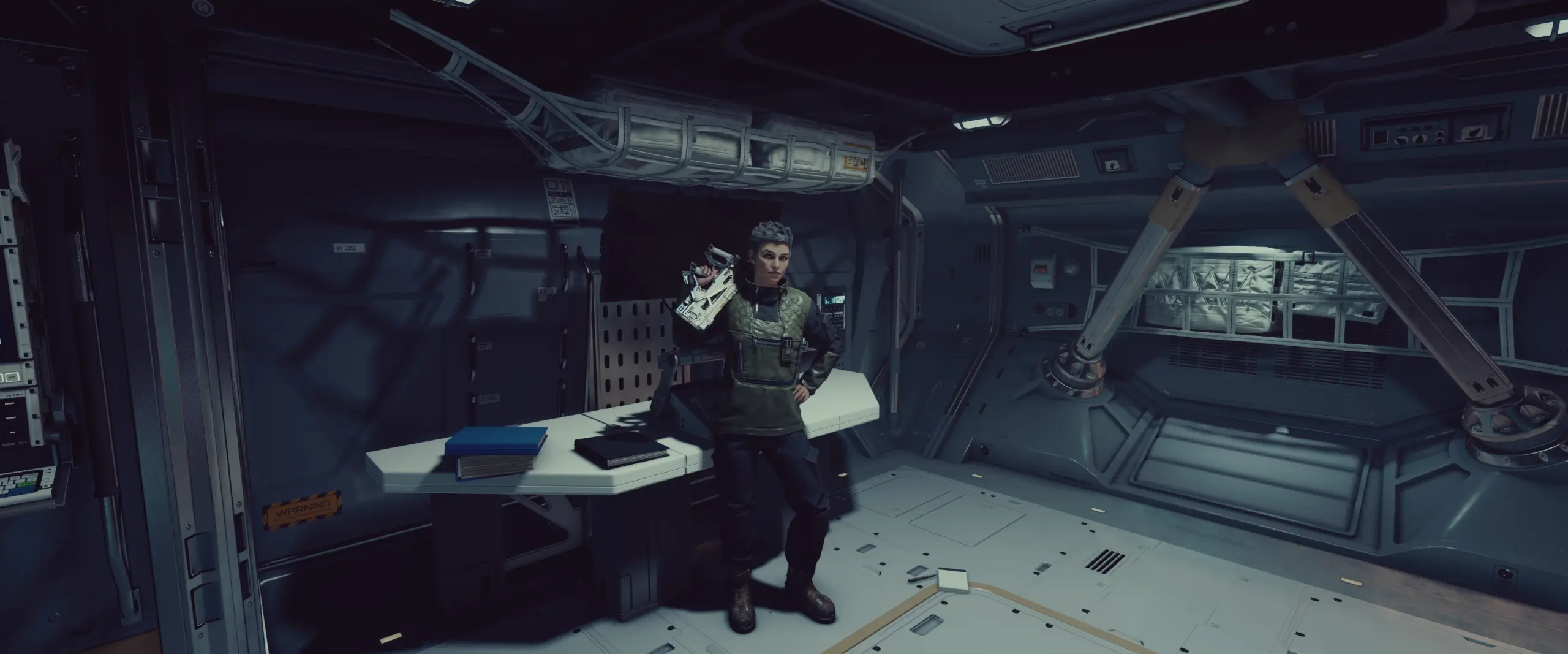
Assignment Mode for Crew members, over 80 animated custom buildable invisible assignable objects, music player (Starfield, .wav, .mp3) and controllable work schedules.
Assignable Crew members:
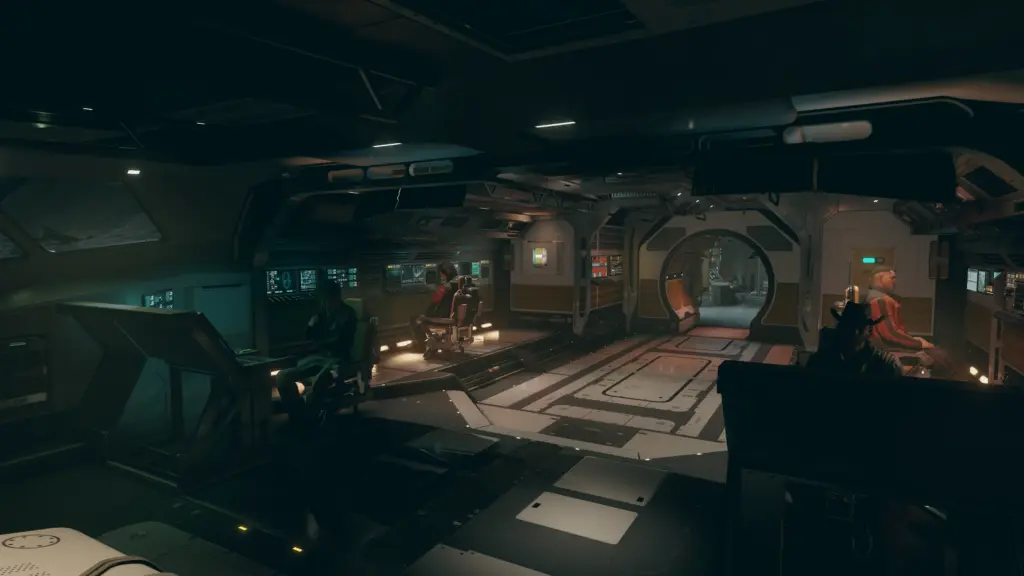
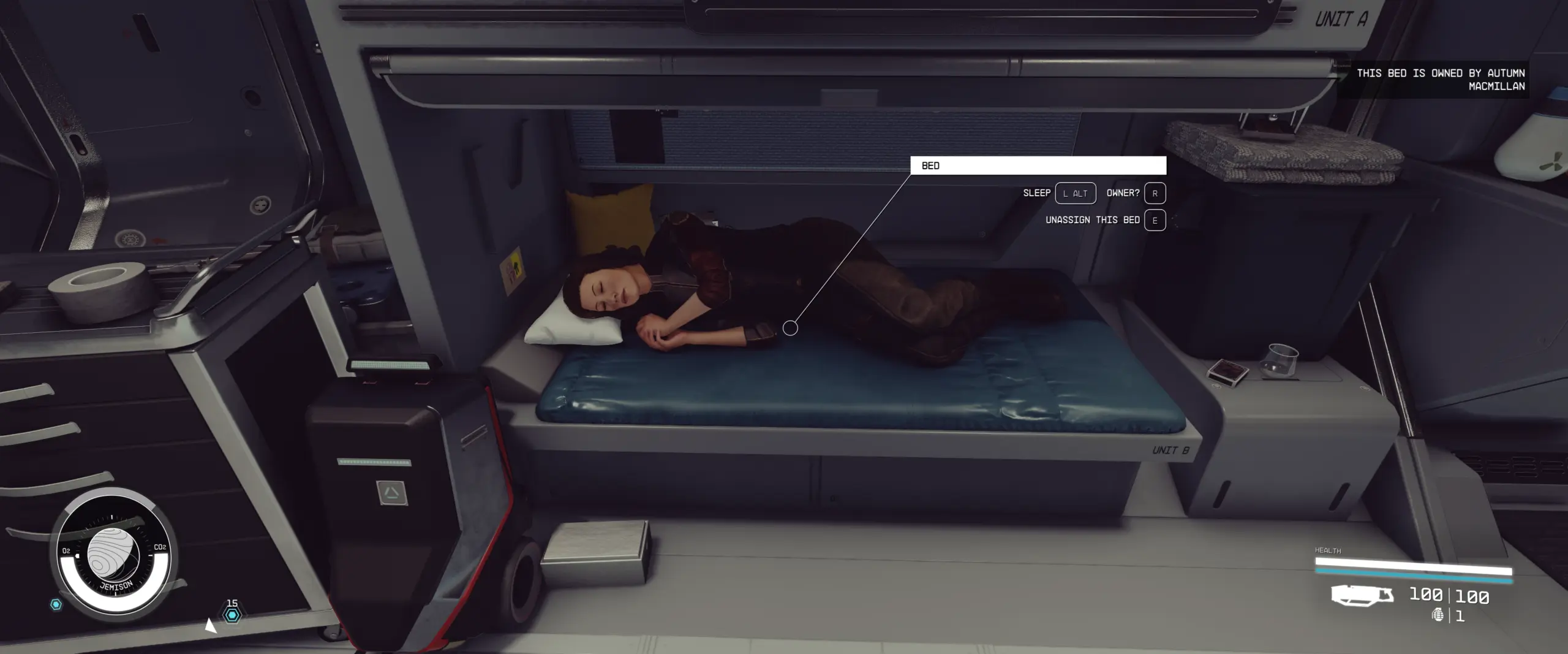
You can assign any Crew member on your ship to any furniture and buildable Assignable object while in Assignment Mode.
Over 80 animated custom buildable Assignables:
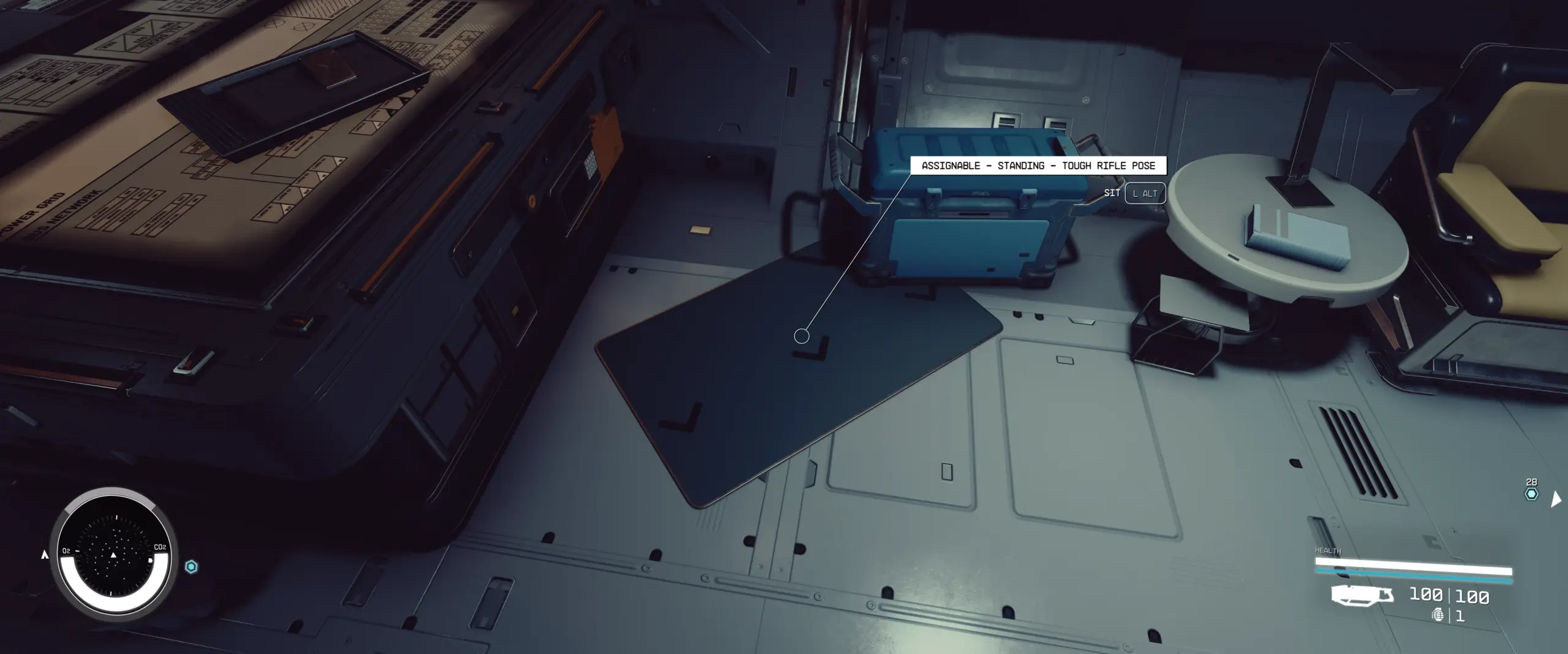
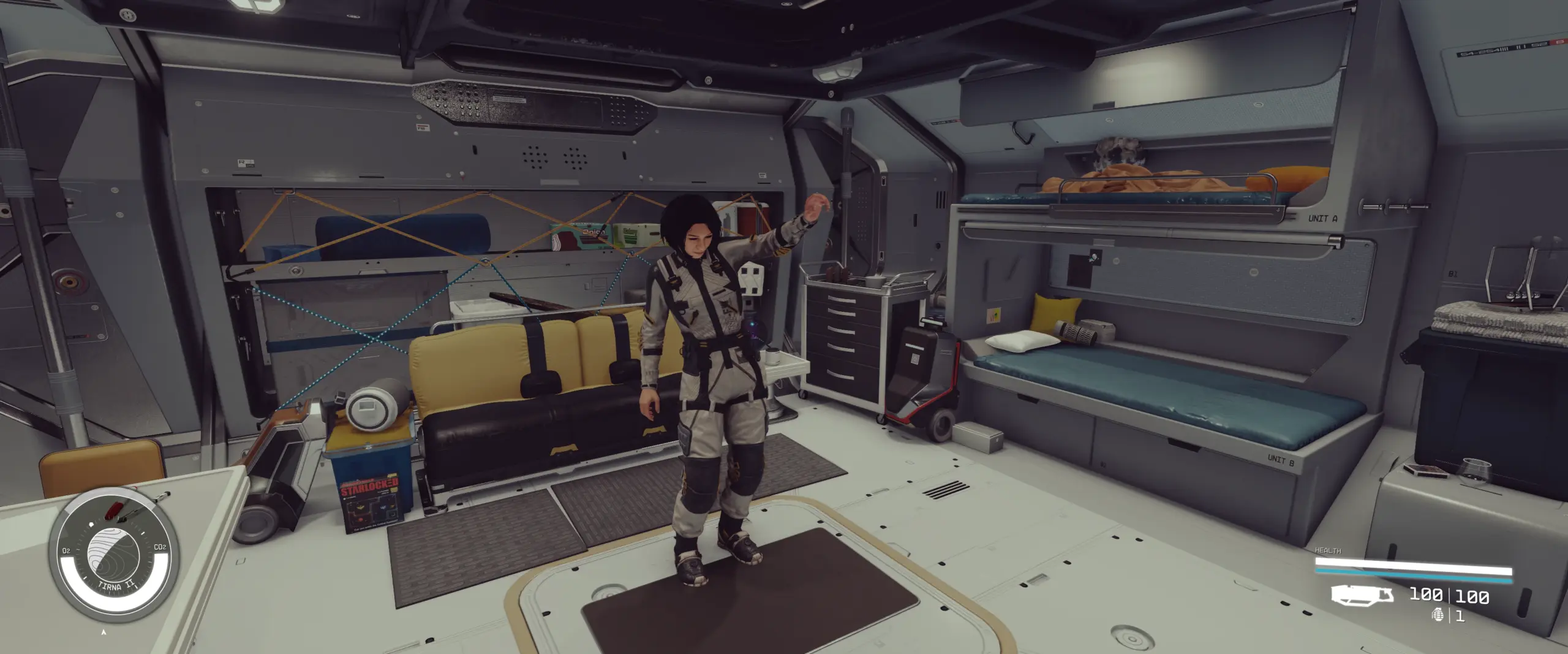
The mod turns any furniture assignable in the Homeship (except the Pilot Seat) and comes with a great variety of Assignables buildable in the Ship Decoration mode. Turn on the Assignment Mode in the Gameplay Options menu so they show up in the Decoration menu as buildable objects. Each Assignable has a linked animation (e.g. sweeping, push up, reading, examining console, etc.). Assignables are hidden by default while the Assignment Mode is inactive so you don’t have to see the metal door mats all the time.
(Note: the mesh and texture of Assignables were updated in v2.2: arrows show the direction of animation marker).
Assignment Mode:
Integrated into the Gameplay Options menu. While active, Assignables are buildable, visible and Crew members are assignable.
Starfield music player:
One of the buildable objects that come with this mod is not an Assignable but a Speaker. Once built, you can activate it to open the Audio Menu. Within the Audio Menu, several vanilla Starfield soundtracks can be played (e.g. faction music, Astral Lounge, Paradiso, ambient music, unique quest tracks, etc.).
Optional – Native Music Player:
The Native Music Player can play .wav and .mp3 files. This feature requires SFSE and the optional file “Native Music Player”.
The default music library folder path is defined in ..\Starfield\Data\SFSE\Plugins\ShipWorkshopAssignments.ini.
[MusicLibraryFolders]
sFolder01=.\Data\Sound\ShipWorkshopAssignments
sFolder02=
sFolder03=
sFolder04=
sFolder05=
You can create a custom INI “ShipWorkshopAssignmentsCustom.ini” which allows 5 additional folders.
Full folder paths are supported too, e.g. sFolder02=C:\Users\Username\Documents\My Games\Starfield\Data.
Controllable work schedules:
Crew members aren’t only assignable, their Working and Sleep Hours are also determined by the captain. The Crew can be ordered to work 24/7 in space or allowed to take a break while the ship is landed. Sleep Hours: Crew members assigned to beds go to their own beds and those who aren’t look for unoccupied beds to sleep in. The ones who don’t find any free bed wander around in the ship unless they were told otherwise. Note: Crew members don’t look for beds in Captain’s Quarters and Brigs, however, this doesn’t prevent the captain from assigning them to beds in such habs. Out of Working and Sleep Hours, the Crew has time off (they can still use the Assignables randomly). Working and Sleep Hours are in UT.
Layout Recognition:
After changing the layout of the Homeship, previously assigned Crew members will search for their assigned furnitures in the new layout instead of unassigning themselves. A Gameplay Setting determines how far an interior furniture can be in the new layout compared to its previous position for the assigned Crew member to be able to find it. (E.g. upgrading the cockpit module to larger module, the size and center of the ship change which causes the positions of interior objects to change as well because object position is relative to the ship’s center).
Leniency Setting:
Added in v2.1, it allows you to control how many Crew members can randomly take a break during working hours regardless of the Time Off and In Space settings. E.g. 20% means 20% of the assigned Crew members are allowed to wander around. After idling for about a minute, the Crew member may return to their Assignable.
Notes:
If you have a mod that allows you to rename Crew members, note that the assignment and unassignment notifications in the upper right corner show Crew members’ original names (e.g. Energy Weapon Specialist instead of their name). This vanilla limitation can be overcome with Cassiopeia Papyrus Extender. If you have Cassiopeia, everyone’s name will be displayed correctly. (Note: the mod doesn’t require Cassiopeia, it is optional for better mod compatibility).
The custom Crew AI applicable to assigned Crew members is compatible with Starfield Engine Fixes and my other mod, Keep Generic Crew Members Around.
Changelog:
Version 3.5
Fixes a bug that could prevent the Selection Arrows from showing up on certain mod settings in the Gameplay Options menu.
Fixes a bug that could cause the vanilla Save On Settings to be replaced with Local Time and UT in the Gameplay Options menu.
Restores support for the optional Native Music Player.
Version 3.4
Hotfix for a bug that could unexpectedly mute the DJ music.
Version 3.3
Fixes a bug that could cause Crew members to get occasionally unassigned.
Fixes a bug that could cause the assignment perk to remain active even after turning off the Ship Crew Assignments setting in the Gameplay Options.
Fixes an oversight that affected some of the Assignables: repositioned the animation markers so that NPCs won’t stand behind the mat or look into the other direction (sorry for the inconveniences the realignment might cause for certain previously placed Assignables).
Fixes an oversight that caused Crew members to ignore some of the Assignables while idling (i.e. outside of working and sleep hours) instead of randomly using them.
Added new setting Time Zone to allow setting whether work and schedules are in Local Time or Universal Time (UT).
Crew members assigned to “Assignable – DJ” can play music like an actual DJ. See new HUD options “Mute” and “Unmute” when approaching them.
Improves the facial expression for NPCs using the Dancing or the DJ Assignables.
Renamed some of the Assignables to make the Build Menu list look cleaner.
Added new Speaker that can be mounted on the wall.
Various AI improvements to ensure Crew members don’t abandon their assignment or bed.
Various minor improvements and code optimizations.
Credits:
LarannKiar
If the download link is outdated or doesn't work, you can add your download link. (If your link is valid, we will approve it within 24 hours.)
Download mod
| File | File size |
|---|---|
 Ship Crew Assignments-3-5
|
431 MB |
|
Ship Crew Assignments - Native Music Player-4-0
|
23 MB |
|
Ship Crew Assignments - Native Music Player-3-0
|
23 MB |
|
Ship Crew Assignments-3-4
|
431 MB |
|
Ship Crew Assignments-3-2
|
27 MB |
|
Ship Crew Assignments - Native Music Player-2-2
|
23 MB |