1. Download and Install StarfieldCustom.ini
- Skip this if you already have a StarfieldCustom.ini in your (Documents\My Games\Starfield)
or
– Make a file named “StarfieldCustom.ini” and place it to your MyGames/Starfield folder, put this right in:
[Archive]
bInvalidateOlderFiles=1
sResourceDataDirsFinal=
2.) Put the Data Folder from this MOD into (Documents\My Games\Starfield)
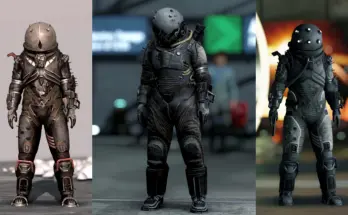
SPAWN ITEM
Console Command Spawn the “Chunks Cap” :
Press ~ (EU = Ö) and Type this
player.additem 00185A6F 1
Credits:
Hnullden
You can download this mod by clicking here.