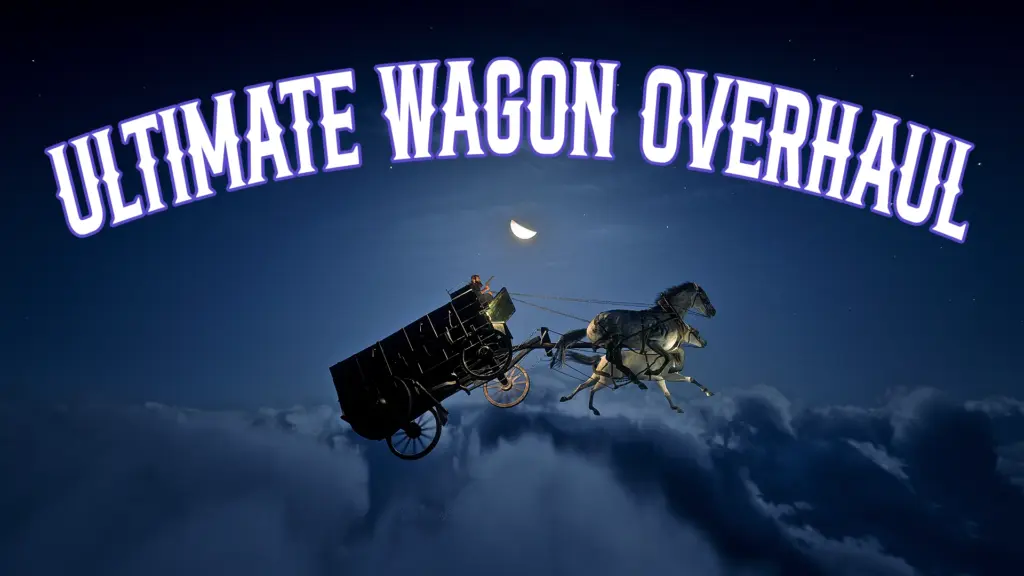
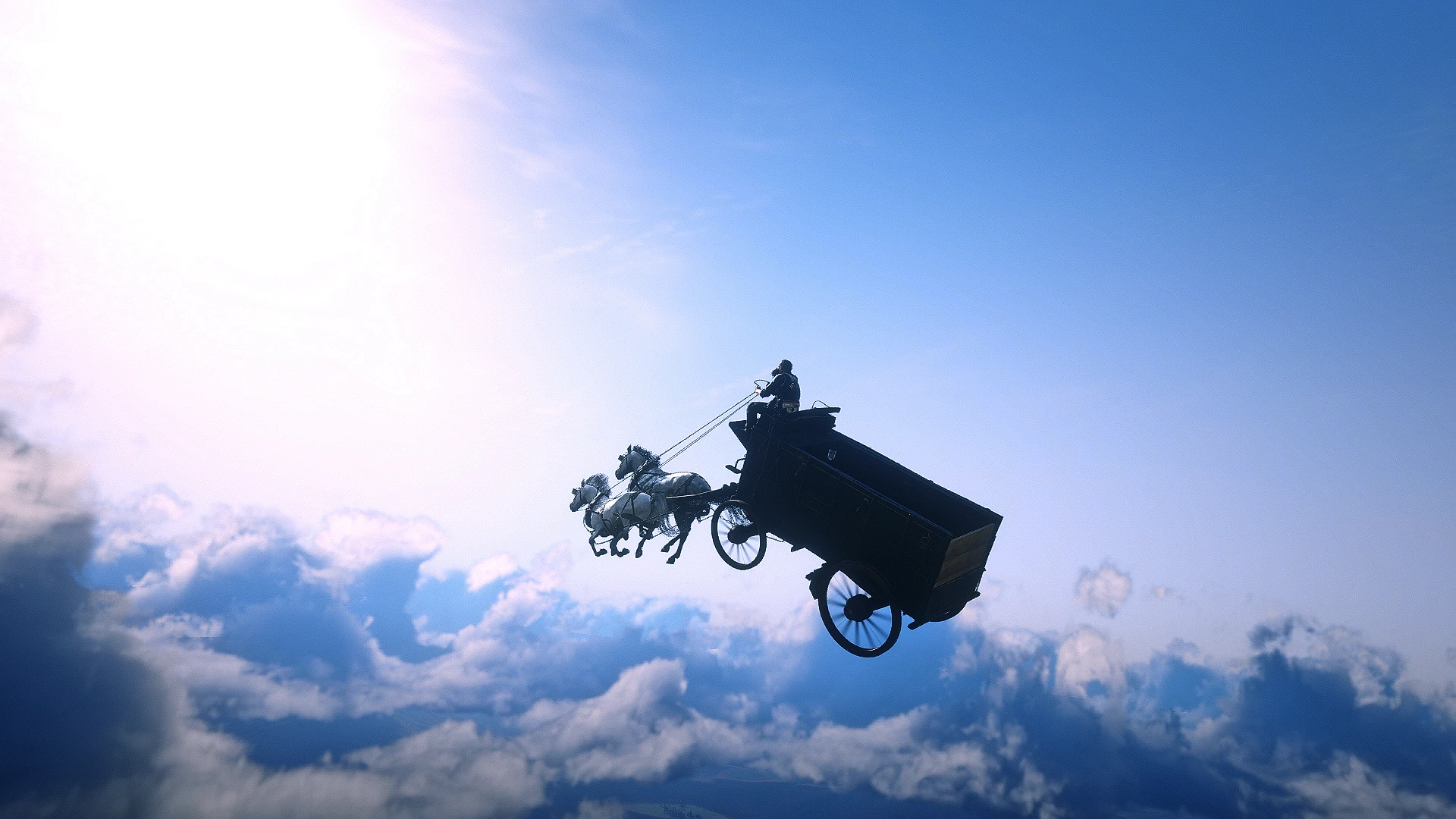
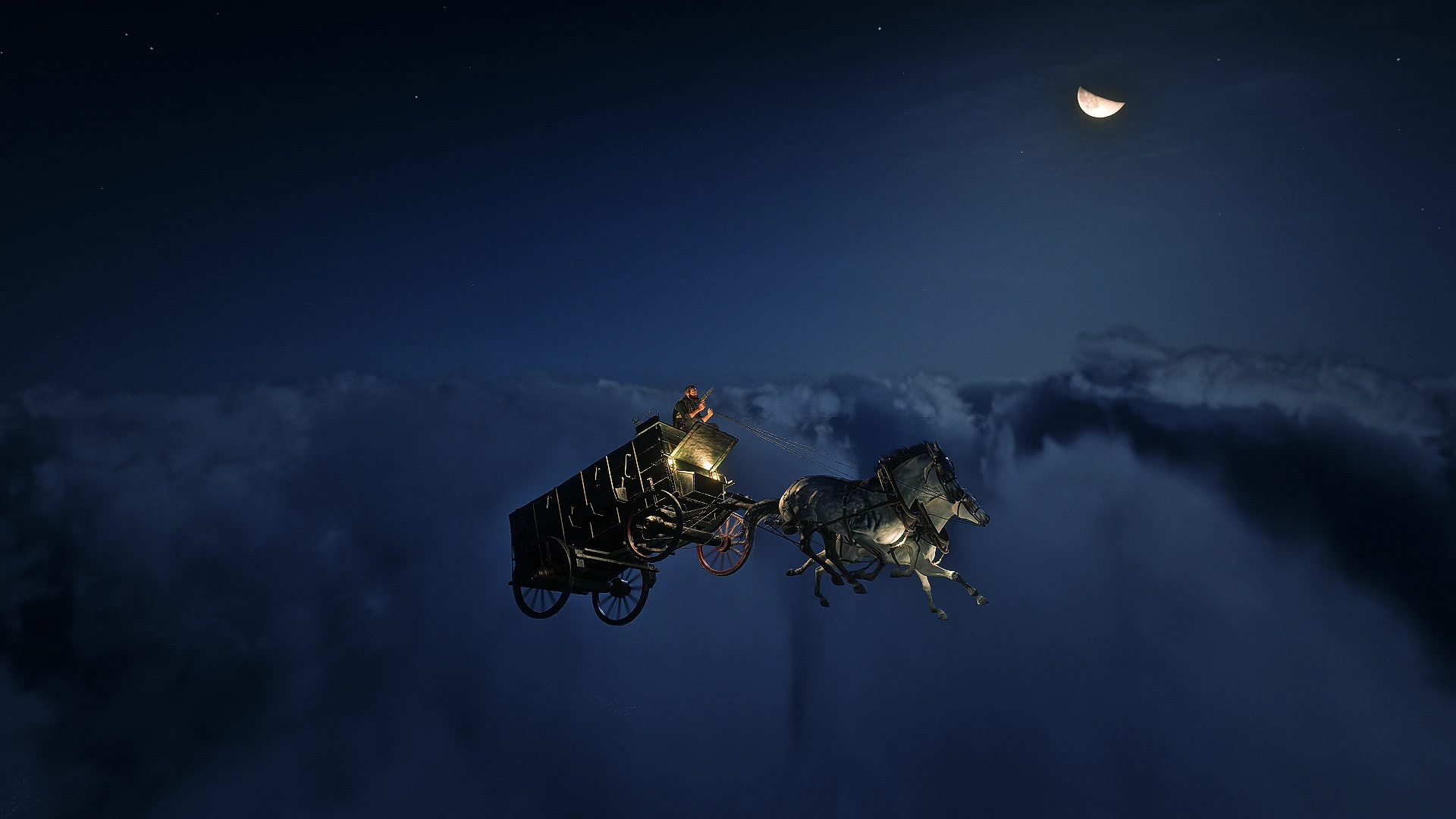
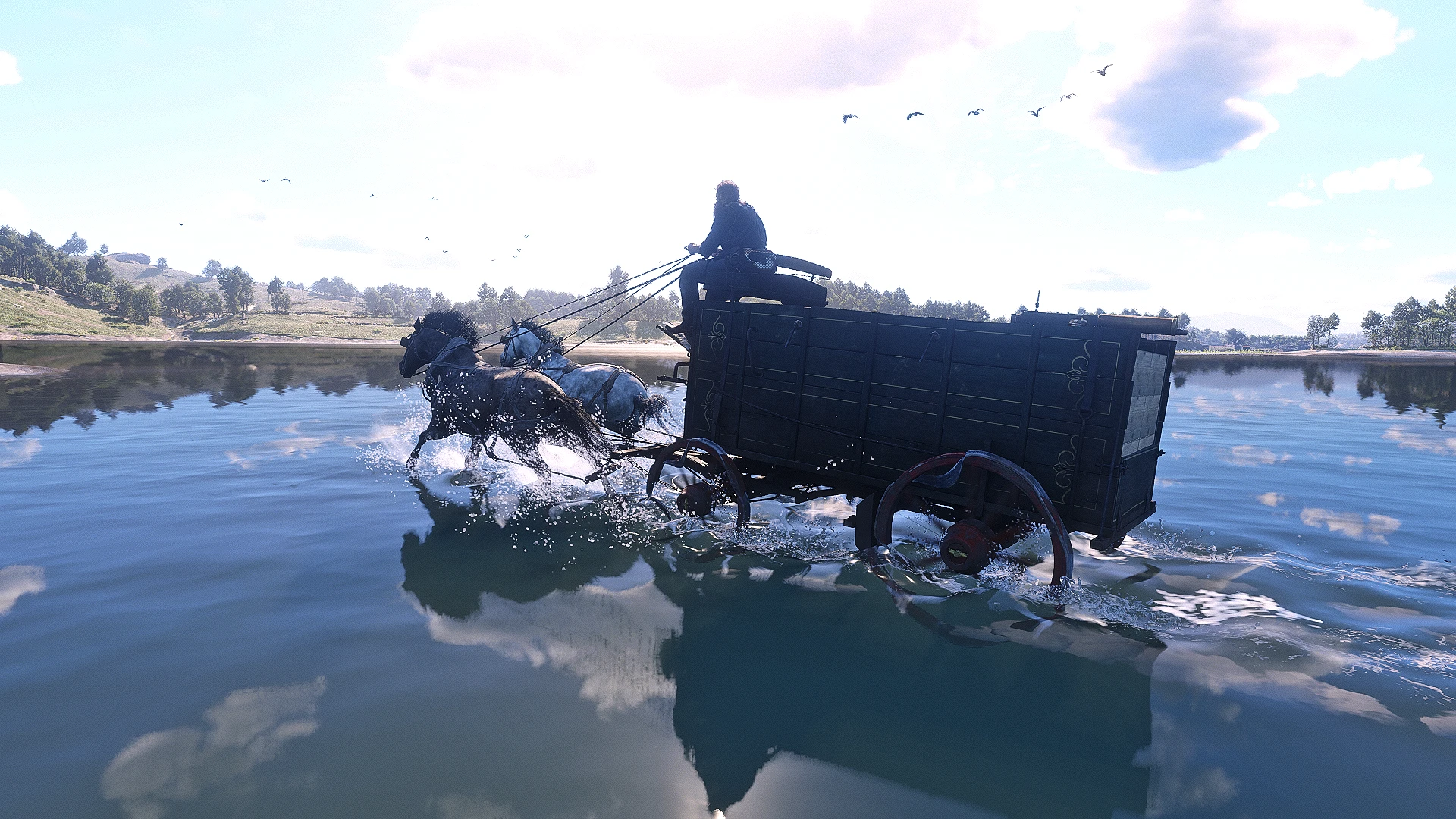
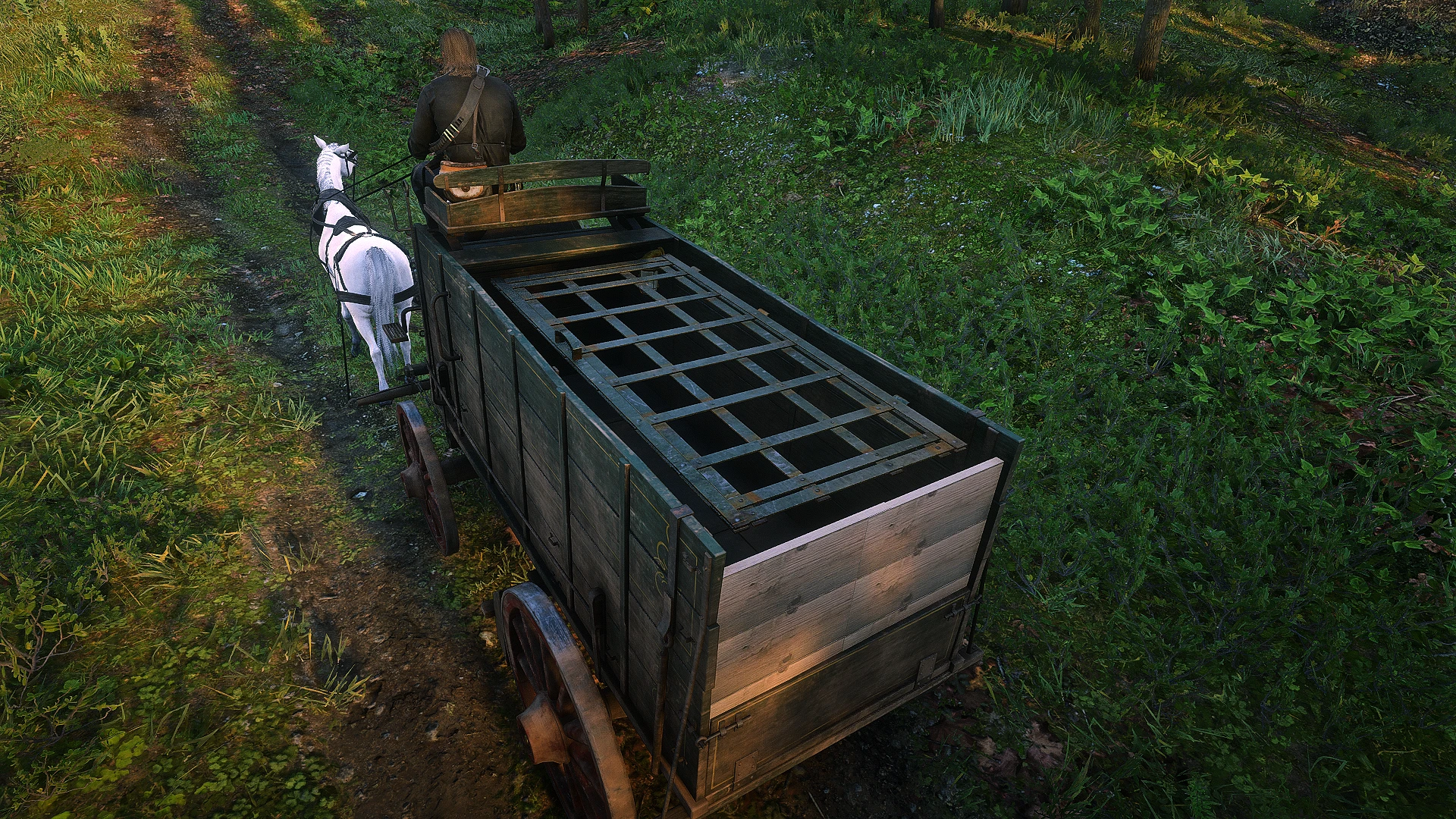
Fly Your Wagon, Drive on Water, AMJM Compatible, Customize and Save Your Wagon, Full Support For Controller/ Keyboard, and much much more!
This mod is a overhaul of how you will interact with wagons, you can own your wagon that will spawn in every time you load, this works with AMJM Transport wagons as well. All the customizations you had set which range from changing the tint, livery, extras, draft horses, and lanterns will stay on the wagon. Once you own a wagon you can do many things like hitching your saddle horse to be able to swap all your weapons while on your wagon, set your wagon into auto-pilot, hire a driver, drive on water, and even fly! Below each feature will be listed, so make you read what, and how everything works, there are specific hotkeys for all of these features that work both on keyboard and controller.
Installation:
Ensure you have ScriptHook V2 installed properly (This works with Alexander Blades Scripthook as well)
Download the current version of UWO
Open the Zip, and drag UWO.ASI and UWO.INI into your main RDR2 file directory, where you installed Scripthook
When you own a wagon you should see a UWO.dat file get generated, dropping a wagon in the garage will also generate a UWO_garages.dat
If you do not see the .dat, you must ensure that you set BOTH RDR2.EXE, and playRDR2.exe to be run as a administrator, this allows my mod to create and write its .dat files, which store your owned wagon+garages. This mod will not save your wagon if you do not do this
Optional File:
Ensure you have Lenny’s Mod Loader installed correctly
Download the Remove Mule_Bray Sounds
Open the Zip, and drag the file called replace to the inside of your LML folder in your RDR2 main directory
Own/disown
HOTKEYS:
Own
Hold R ~ 1 Sec (In Wagon) – Keyboard
Hold X Button ~1 Sec (In Wagon) – Controller
Disown
Hold F ~1 Sec (In Wagon) – Keyboard
Hold B Button ~1 Sec (In Wagon) – Controller
To start off this mod requires a proper wagon that you can enter, if the wagon is destroyed and the player can not enter the wagon then you can not claim that wagon.
Once you have found yourself a proper wagon you will simply enter the wagon, once the player is seated you will hold the R/X button for at least 1.5 secs and then let go.
You will see a message pop saying Wagon Claimed, and should now see the colored wheel blip that you chose in the ini file (Lime Green by default.)
You can only have ONE UWO wagon active, trying to use the hotkeys to own another wagon will not work you must first disown your wagon.
To disown your current active UWO wagon, you must be in any wagon, it does not have to be your UWO wagon it can be the new wagon you are replacing it with. You then will hold the F/B Button for 1.5 secs upon letting go you will see the message Wagon Disowned, and the wagon blip will be removed. Then Simply reclaim the new wagon with the own hotkey once more!
Hitching saddle/temp horses
HOTKEYS:
Hitch-Saddle Horse
Hold R ~1.5 Secs (On Foot) – Keyboard
Hold X Button ~1.5 Secs (On Foot) – Controller
Hitch-Temp Horse
Hold R ~2.5 Secs (On Foot) – Keyboard
Hold X Button ~2.5 Secs (On Foot) – Controller
Unhitch-Saddle Horse
Hold F ~1.5 Secs (On Foot) – Keyboard
Hold B Button ~1.5 Secs (On Foot) – Controller
Unhitch-Temp Horse
Hold F ~2.5 Secs (On Foot) – Keyboard
Hold B Button ~2.5 Secs (On Foot) – Controller
Once you own a wagon you can hitch up to two horses of any kind to your wagon, one of which will always be your saddle horse, the temp can be any horse, it does not have to be the game’s registered temporary horse.
Once you hitch your saddle horse it will remain tied to your wagon, you can no longer stow on your horse and will have to use the wagon, but you still keep access to all your weapons. While riding in the wagon or by going near the horses while on foot you will be able to access and swap all of your weapons just like you normally would.
To hitch your saddle horse it must be inside the hitch radius around your wagon that you have set in the ini (Default = 10m), then you simply press the and hold the R/X Button for ~1.5 secs when you let go you will see the message “Hitching Saddle Horse”, and a new colored saddle blip attached to your wagon blip. If you see the message “Bring Temp Horse Closer” you held the button for too long.
You can customize what side of the wagon the horses will hitch too in the ini, and for single harness wagons it does not matter you can hitch your saddle or temp horse.
To hitch a temp horse you must find a wild horse or steal someones, mount that horse, bring it within your wagon hitch radius, and simply dismount the horse and hold the R/X button for ~2.5 secs and you will see the message “Hitching Temp Horse.”
To Unhitch your horse hold the F/B button, while on foot near your wagon, depending on how long you hold it will determine which horse gets unhitched, 1.5 secs for saddle horse, 2.5 secs for temp, holding it for longer will not unhitch both, just the temp horse.
If you see the message “Clone Spawn Failed” try moving the wagon to a more open flat position, and then try hitching it again. If you continue to see the message check the bugs section below for more info.
Quick hitch
HOTKEYS:
Hitch Saddle
Double Tap R (In Wagon) – Keyboard
Double Tap X Button (In Wagon) – Controller
Unhitch Saddle
Double Tap F (In Wagon) – Keyboard
Double Tap B Button (In Wagon) – Controller
The Quick Hitch feature only works on your saddle horse for now, I might add a way to do the temp horse later, all you have to do is while in your owned wagon, double tap R/ X Button to hitch. Double tap F/ B button to unhitch.
Customization menu
HOTKEYS:
Menu
Pushing E+Down Arrow (In Wagon) – Keyboard
Pushing RB+D-pad Down (In Wagon) – Controller
Menu Navigation
Arrow Keys (In Menu) – Keyboard
Backspace (In Menu) – Keyboard
D-Pad (In Menu)- Controller
B Button (In Menu) – Controller
Hitting these hotkeys while in your wagon will bring up a menu, it should say the name of the wagon you are currently in as well as display all options the wagon has to customize.
Not all wagons have the same features and have different Tints/ Livery to chose from, my menu will automatically sync with the wagon you are in and display its options accordingly, so if there are no options then that wagon just doesn’t have any.
Use up and down arrowkeys/ D-pad to navigate the menu up or down, some options may be hidden so scroll down, then use left or right to toggle options On/Off or look at different tints/livery.
Hitting Backspace/ B will exit you out of the menu, for these changes to be applied YOU MUST EXIT THE WAGON, that is when the .dat file saves your wagon appearance/ coords.
Bonuses
So far only the Supply Wagon, and Army Supply Wagon have bonuses, I will be adding more for each wagon, these bonuses you can find in the CUSTOMIZATION MENU WHEN YOU ENTER THE CORRECT TYPE OF WAGON (Supply Wagon, Army Supply Wagon.)
Just like the other features that are toggled On/Off in the Customization Menu these will be saved and reloaded.
Most Wagons will have similar bonuses i.e. Lights, Trunk Light, Armor Plating, Truck Covers, and more will be added depending on the wagon type, you can check the included .txt file BonusKeys to see what each bonus toggle does. As well as the pictures to get a look at what to expect.
I WILL BE ACCEPTING IDEAS IN THE COMMENTS SECTION FOR WHAT YOU WOULD WANT ON YOUR WAGON AND WHICH WAGON YOU WANT ME TO ADD BONUSES TO NEXT, MAKE SURE YOU GIVE ME THE WAGON/OBJECT NAME.
Wagon high-beams
HOTKEYS:
High-Beams
Press Up Arrow Key (In Wagon) – Keyboard
Press Up D-pad (In Wagon) – Controller
When you are in your wagon a quick tap of Up on the arrow key/ D-pad will toggle lanterns on your draft horse, increasing your vision at night drastically and allowing you to see the road ahead easier.
Tapping it again will toggle it off.
(Note: As a bonus extra, if you hold R/X Button for ~1.5 secs while on your saddle horse, this will spawn a lantern, but there is no way to remove it unless you hitch your horse or reload.)
Wagon repair
HOTKEYS:
Repair
Press and Hold Up Arrow Key ~3 secs (In Wagon) – Keyboard
Press and Hold Up D-pad ~3 secs (In Wagon) – Controller
While in your wagon you can hold Up on the Arrow key/ D-pad for ~3 secs upon releasing the key money will be deducted and your wagon will be fully repaired, draft horses included. You will see a message prompt saying “You Paid X For Repairs”
You can set the value for how much it costs to repair your wagon in the ini, if you do not have the money you will receive a message saying how much you need.
(Note: the value is multiplied by 100 in the ini so 1500=$15.00)
Wagon summon
HOTKEYS:
Summon Wagon
Press and Hold Whistle(H) (On Foot) for ~1 secs – Keyboard
Press and Hold Whistle(D-pad Up) (On Foot) for ~1 secs – Controller
Summon+Repair Wagon
Press and Hold Whistle(H) (On Foot) for ~3 secs – Keyboard
Press and Hold Whistle(D-pad Up) (On Foot) for ~3 secs – Controller
If you need to bring your wagon closer to you, by pushing and holding down your whistle key H/ D-pad up for ~1 secs your wagon will be brought to the nearest road to the player.
Sometimes in wide open wilderness with no road nodes near it, it will just spawn near you instead. Also try not to stand in the middle of a road when summoning your wagon.
If you completely destroy your wagon and can no longer enter it to do a Repair by holding the whistle key H/ D-Pad up for ~3 secs the wagon will be fully repaired and summoned to the closest road. This uses the same value for the repair in the ini. You can effectively keep your wagon forever with this, no matter how badly damaged it is or where you crashed it, you can always repair and recover it.
You will get a message prompt saying “Wagon Needs Repair” when you fully destroy your wagon.
Auto-pilot
HOTKEYS:
Engage
Double Tap Vehicle Brake (Left Crtl) (In Wagon) – Keyboard
Double Tap Vehicle Brake (RB) (In Wagon) – Controller
Disengage
Hold Vehicle Brake (Left Crtl) (In Wagon) – Keyboard
Hold Vehicle Brake (RB) (In Wagon) – Controller
Control Speed
Tap Vehicle Acceleration (Left Shift) (In Wagon) – Keyboard
Tap Vehicle Brake (Left Crtl) (In Wagon) – Keyboard
Tap Vehicle Acceleration (A) (In Wagon) – Controller
Tap Vehicle Brake (RB) (In Wagon) – Controller
Turbo
Tap R at speed level 10 (In Wagon) – Keyboard
Tap X Button at speed level 10 (In Wagon) – Controller
You can activate the auto-pilot feature while in your wagon by double tapping the vehicle brake Left Crtl/ RB this will continually keep your wagon going straight at a constant rate of speed that you can control.
By tapping the vehicle acceleration Left Shift/ A you will increase the speed, pushing Vehicle brake Left Crtl/ RB will decrease the speed, the speed counter goes through 1-10.
When you are speed level 10/10 by pushing the R/X button you will engage turbo mode, there are 3 levels you can go up to, pushing the vehicle brake will bring you back to speed level 10.
When the vehicle brake is held down Left Crtl/ RB Auto-Pilot will be disengaged and your wagon will still carry the momentum it had allowing you to go into a natural brake and even drifting with certain wagons.
While Auto-Pilot is engaged and you are on a road, any time the player starts aiming their weapon the wagon will fully take control of steering and
drive itself along the road.
Hired driver
HOTKEYS:
Hire A Driver
Double Tap Up Arrow Key (On Foot) – Keyboard
Double Tap D-pad Up (On Foot) – Controller
Fire Driver (Driver Must Be Hired)
Hold Up Arrow Key ~1 sec (On Foot) – Keyboard
Hold D-pad up ~1 sec (On Foot) – Controller
Speed Controls (Driver Must Be Hired)
Tap Up Arrow Key (On Foot) – Keyboard
Tap Down Arrow Key (On Foot) – Keyboard
Tap D-pad Up (On Foot) – Controller
Tap D-pad Down (On Foot) – Controller
Speed Controls (Passenger in Your Wagon)
Tap Vehicle Acceleration (Left Shift) (In Wagon) – Keyboard
Tap Vehicle Brake (Left Crtl) (In Wagon) – Keyboard
Tap Vehicle Acceleration (A) (In Wagon) – Controller
Tap Vehicle Brake (RB) (In Wagon) – Controller
Hiring a driver costs money, the amount can be set in the ini, when you double tap up on the Arrow key/ D-pad up while on foot, a driver will be spawned in and tasked to enter your wagon.
Once they enter you will see a message saying “Awaiting Waypoint Directions” you must have a marked waypoint on your map, once there is one the message will say “Driver en Route.”
You can change the drivers speed from 0-10 while on foot using the up and down Arrow keys/ D-pad, or by using the Vehicle acceleration/ brake while you are in the PASSENGER SEAT, or CARRIAGE SEATS. You must use short distances when selecting your waypoint or they will not respect your speed commands (Does not have to be that short, but dont click halfway across the map either.)
You are able to enter carriages but I have not fully figured this out so its a bit buggy, you can ONLY enter carriages before the driver is in the wagon AFTER you hire them, so you want to hire the driver then immediately enter the carriage of your stage coach.
The driver AI is not the best and seems to work best if you use shorter distances rather then marking the exact place you want to go, break it up into multiple shorter segments. The Ai tends to break if the distance marked on the map is very far away from where the player is at.
Certain roads do not have the correct navmesh for the Drivers Ai to pick up, so there are places where they might get stuck and not move at all, when this happens they will be teleported along the road towards the waypoint marked until they are registered to be moving once more. You will see a message saying “Driver Stuck” and “Repositioning Driver”
Drivers will be dismissed when they are fired by holding up on the Arrow key/ D-pad for ~1 sec, if they are killed, or if you push them out of your wagon while in the passenger seat(Spacebar on keyboard, X button on controller).
Drivers can only drive on roads, no matter where you place the waypoint they will pick the closest road node to that waypoint and drive there.
Wagon stow
HOTKEYS:
Stow
Double Tap X (On Foot) – Keyboard
Double Tap RS (On Foot) – Controller
You have to be right next to your owned wagon and carrying anything then you can double tap the X/ RS button this will automatically drop and stow the item you are holding directly into your wagons back.
Not all wagons have their beds lined up perfectly, this will be added in a a later update, majority of wagons work as is with this.
Peds that are hogtied, will be knocked out briefly upon being stowed and then wake up shortly after still hogtied.
Wagon weapon wheel
HOTKEYS:
Weapon Reset
Double Tap Q (In Wagon) – Keyboard
Double Tap LB (In Wagon) – Controller
This appears to only be a bug while in 3RD PERSON WHEN IN YOUR WAGON WHILE SWAPPING WEAPONS, so far 1st person works perfectly and does not need this fix.
When you hitch your saddle horse to your wagon you will gain access to your horse holsters while riding in the wagon, the game engine has a hard coded animation that plays in 3rd person when you swap your long arms, it appears that when you try to swap to a 3rd longarm while in your wagon it will bug out. You wont be able to open the weapon wheel, shoot, and you can no longer ADS, when this happens you must double tap Q/ LB to reset your weapon, then you will be able to access your weapon wheel again. Usually the weapon you were trying to select is pushed to the bottom longarm slot, you can reequip it now just fine, but this will happen when you try swapping to another weapon, so double tap Q/ LB to reset and you are good to go.
The general flow I got used to was: Change weapon and select it in the wheel, double tap Q/ LB, open weapon wheel again, and Re-select weapon.
For whatever reason if you swap from 3rd person to 1st and back to 3rd person this will allow you to freely swap weapons using the Left longarm slot without bugging out, but only if you use just the left longarm slot, as soon as you try swapping a weapon using the bottom long arm slot it will bug out and you need to reset the weapon wheel.
Again this bug only affects 3rd person, 1st person seems to have zero issues, and with that in mind I have a few ideas on how I can fix this, this bug is on the top of my priority list of things to work on.
Wagon invincibility
HOTKEYS:
Enable/Disable Wagon Invincibility
Hold Z for ~1 sec (In Wagon) – Keyboard
Hold LS for ~1 sec (In Wagon) – Controller
You can activate this anytime you are in your owned wagon, by just holding down Z/ LS while in your owned wagon, you will see a message prompt that says “Wagon Invincibility Enabled”/”Wagon Invincibility Disabled.”
When this is enabled your wagon will no longer be destroyed, it will still take damage, but the wheels will never break off. Useful for when you are using turbo mode with Auto-Pilot, or Flying Mode.
Wagons that have taken a significant amount of damage with wagon invincibility on will be immediately destroyed if you were to disable it.
You can still break you wagon in a few ways, by sinking your wagon in deep water, or if you crash it too hard the horses will become unhitched. Once this happens you have to repair the wagon the horses will not hitch back otherwise.
There is a additional option in the ini that will also enable player invincibility while this is active (Default = False).
Spawn ramp
HOTKEYS:
Spawn/Despawn Ramp
Double Tap Z (In Wagon) – Keyboard
Double Tap LS (In Wagon) – Controller
While in your wagon you can double tap Z/ LS this will spawn a ramp directly in front of your wagon, the ramp will spawn based on your wagon’s offsets as well. You want to try and spawn the ramp when you are somewhat level, if you do it at an angle or elevation it will spawn based on that offset. For instance if you are at a downward angle the ramp will usually spawn underground, if you are at a upward angle it will sometimes spawn above ground.
Usually this is best used when Flight Mode is engaged, but you can do some small jumps without it, there are a few set up steps though. Firstly this will only work with horses that are hitched using this mod, so have your wagon hitched with your saddle and/ or a temp horse. With wagons that require two horses ensure you hitch your saddle and temp.
Once you have your horses hitched, make sure Wagon Invincibility is enabled by holding down Z/ LS for ~1 sec while in your wagon.
Then you HAVE TO ENGAGE Auto-Pilot, find some even ground and double tap Z/ LS to spawn a ramp directly in front of you, ensure you increase your auto-pilot speed as you go up the ramp, pull back on the control stick to level out your wagon, or push forward if you want to land.
If you do not land your wagon as flat and evenly as possible the horses will become unattached from your wagon, forcing you to do a repair, no matter what the horses will not reattach until the wagon is repaired.
Ramps will be despawned in two ways, if you double tap Z/ LS while the ramp is active it will be removed, or if the player gets 100m away from the ramp it will also be despwaned. So if you want to set a ramp up somewhere remember not to get to far away or it will be gone. These ramps do not despawn if you exit your wagon, allowing you to use them in other creative ways as well.
Flying mode
HOTKEYS:
Enable/Disable
Double tap X (In Wagon) – Keyboard
Double Tap RS (In wagon) – Controller
Control Pitch
Holding S (In Wagon) -Keyboard [Wagon Goes Up]
Holding W (In Wagon) -Keyboard [Wagon Goes Down]
Holding Down (In Wagon) – Controller [Wagon Goes Up]
Holding Up (In Wagon) – Controller [Wagon Goes Down]
Before you enable flight mode you MUST ALWAYS ENSURE YOU ARE ON THE GROUND(IN WATER COUNTS TOO, WITH BOAT MODE ON). If you are not properly on the ground your horses may get clipping issues, and this will usually lead to a GAME CRASH. This has the highest chance of happening when you enable flight mode in mid air, as the gravity and physics will displace the wagon in a unpredictable way. As long as you enable Flight mode on the ground you will always be fine.
When you double tap X/ RS you will see the message prompt “Flight Mode Enabled”, while this is activated you will be able to drive your wagon normally, but now gain access to controlling your wagons pitch. When you hold S / Down you pitch your wagon upward, gaining altitude, you can fly as high as you want. Letting go most wagons will have a natural drag downward as you fly forward, so you will need to adjust and hold down the hotkey to keep your pitch level. Pushing W/ Up will control your pitch downward, and make your lose altitude, you will be put at a very downward angle so you must ensure you pull up the nose before your land or you might wreck your wagon. You will be able to steer your wagon Left or Right normally just like you would, the same with acceleration and braking.
You will also be able to activate Auto-Pilot during Flight mode to be able to fly faster, you can activate turbo mode as well, but it can sometimes be too fast and bug out if you are gaining altitude, so be careful with it.
Wagons will freeze mid air if you come to a complete stop, they do not seem to fall naturally, this is being worked on, I haven’t find a good solution to make them gracefully fall down yet.
All Wagons currently work and fly, only Cart 2 is the wagon that has a major issue where its displaced really badly, but it still flies. These other wagons have small issues ranging from: having a harder time increasing altitude, heavy and losing altitude fast, they will gain altitude instead of losing it when going forward. Cart 4,5,7,8; Coach 5, Coal Wagon, Dairy Wagon, Docter’s Wagon, Gatling Chuck, StageCoach 3,4,5,6, Wagon 2,3,5,6, Utility Wagon, Work Wagon, Traveller’s Wagon. I will continue to work on this feature to make them all work the same if I can.
You can spawn ramps in mid-air to gain more altitude as well.
When you double tap X/ RS again you will see the message “Flight Mode Disabled”, make sure you are on the ground or close to it or your wagon’s wheels will break/ horses die. Flight mode automatically disables when you exit your wagon.
Boat mode
HOTKEYS:
Enable/Disable
Holding X for ~1 sec (In Wagon) – Keyboard
Holding RS for ~1 Sec (In wagon) – Controller
Control Pitch
Tapping S (In Water) -Keyboard [Wagon Goes Up]
Tapping W (In Water) -Keyboard [Wagon Goes Down]
Tapping Down (In Water) – Controller [Wagon Goes Up]
Tapping Up (In Water) – Controller [Wagon Goes Down]
When you hold down X/ RS for ~1 sec you will get a message pop up saying “Boat Mode Enabled”/”Boat Mode Disabled”, while this is enabled you will be able to drive on water deep water while in your wagon. You can leave it enabled and your wagon will drive on land just fine, and automatically drive on water once you touch it.
You want to make sure that you enter the wagon from a slope and have the horses touch the water first, if you go off a ledge jumping into the water there is a higher chance this will bug out. As well as the wagon being destroyed if you are landing in deep water.
Once you are in the water not all wagons will be at the same level, you can change the pitch of the wagon slightly to go up or down. You must TAP these buttons for it to work, it will not move if you hold them. Tap W/S on keyboard, and Up/Down on your Left stick these are set the same way flying mode is, so pushing S/ Down will make your go up, and pushing W/ Up will make you go down.
You want to try and get the wagon’s wheels at the water level height to have max control, again every wagons different, and the height/ speed you enter the water also will change the height that you will drive on top of. IF THE WAGON’S PITCH IS TOO HIGH OR YOU HIT THE WATER AT A HIGH ANGLE AND START SKIMMING, STAYING IN THE AIR TOO LONG WILL CAUSE YOU TOO CRASH WHEN YOU HIT THE WATER AGIAN, ALWAYS TRY TO STAY IN THE WATER TIL YOU HIT LAND.
IF YOU HAVE BOAT MODE ENABLED AND ENABLE FLIGHT MODE, BOAT MODE WILL BE AUTOMATICALLY DISABLED. IF YOU HAVE FLIGHT MODE ENABLED YOU WILL NOT BE ABLE TO ACTIVATE BOAT MODE, HOWEVER YOU CAN STILL FLY ON WATER WITH FLYING MODE IF YOU ARE CAREFUL TO NOT GO TOO DEEP AND CRASH.
YOU CAN GO INTO FLYING MODE FROM BOAT MODE, SO YOU CAN TAKE OFF FROM THE WATER.
Vault while carrying
You can now also climb over objects while carrying anything, this will allow you to jump into your wagons bed and be able to drop your pelts, skins, carcasses, and peds yourself. This is useful if you do not want to always rely on the stow feature, however depending on the wagon it can be difficult to drop items in the back yourself, especially in 3rd person.
All you need to do is while carrying a object make sure you are directly in front of a object/ledge you can climb up, and tap the jump button. It helps if you look at the bottom right and you will see the drop prompt, when that is greyed out you can easily press jump without worrying about dropping the item.
Garages
In each main story campsite, including Epilogues you will find a area that when you walk into while on foot, or drive in with a wagon that will display a message saying “Garage:Empty”
If you see the message you are within the garages radius, if you bring a wagon into the garage and exit the wagon, the message should update to saying the name of the wagon instead of empty now.
Leaving the radius on foot will prompt you with the message “Leaving Garage Area” so you can tell when it starts and stops. If you leave the radius with a wagon that you had stored you will get a message saying “Removing From Garage: XYZ.” If you leave with a wagon that WAS NOT stored in the garage the message will just say “Drive Safe!”
The garages utilize a FIFO (First In First Out) protocol when saving and overwriting your wagons, so the first wagon saved will be the first to get overwritten and so forth. For example, you have a Supplywagon that you store in the garage, then you get a Stagecoach 1 and store it as well. Now your garages is full, you find a nice Buggy 3 that you want, once you get out and store it then the Supplywagon will be removed from the .dat file. You do not need to even move it out of the garage it will not respawn when you load your game again, if you want you can still drive it out (Remember storing happens when you exit the vehicle in the garage). If you were to get back in the Supplywagon, and get out storing it again then the Stagecoach 1 will be deleted, and you will have the buggy 3 and SupplyWagon saved.
You can store two of the same wagon, HOWEVER THEY MUST HAVE A DIFFERENT TINT, LIVERY, OR EXTRA, IF THE WAGONS ARE THE SAME THEN WHEN REMOVING A WAGON FROM THE GARAGE IT WILL USE THE FIFO PRTOCOL WHICH MAY RESULT IN THE WRONG WAGON BEING DELETED.
This feature will also create a new .dat called UWO_Garages.dat upon the first wagon saved in a garage, you can only have a MAX OF TWO WAGONS IN TOTAL BETWEEN ALL GARAGES.
You must move you wagons to the new garage when you move campsites, each garages contents are location specific, so if you have two wagons in Horseshoe Overlook, when you move to Clemens Point the garage will read as empty. Putting a wagon in another garage will initiate FIFO and delete the wagon from your initial garage.
Garages are not for storing your owned wagon, or AMJM wagons, this will cause a double spawn conflict on game load, DO NOT PARK YOUR OWNED WAGON OR AMJM WAGON IN THE GARAGE.
Garages will only save the tint, extras, and livery of the wagon, ideally you want to store your extra wagons in the garage and swap/ customize the different ones when you want to own a new kind of wagon.
Check the images tab to see references for where each garage is on the map.
I plan on adding and creating physical garage spaces for each campsite in a later update.
Wagon thieves
With such a nice wagon you start attracting unwanted attention, fully customizable in the ini you can toggle on/off and edit the time it takes for wagon thieves to spawn.
Wagon Thieves will que their spawn after the time you set, they will only then spawn once you are within 100m of your owned wagon, currently not in the wagon, your wagon must be on/near a road, and you a inside a town/city (Valentine, Rhodes, Saint Denis, Lagras, Emerald Ranch, Van Horn, Annesberg, Strawberry, BlackWater, Armadillo, Tumbleweed). NOTE: IN THE INI, YOU CAN DISABLE THE OPTION FOR TOWN SPANWS SO THE WAGON THEIVES WILL SPAWN IN ANYWHERE IN THE WORLD.
Once spawned they rush into your wagon, changing the wagon blip to red and displaying the message “WAGON STOLEN.”
The thief Ai is then tasked to drive to the closest camp they have the coordinates for, these camps are placed outside of the city limits. If you have that option turned off the camps will be scattered throughout the world randomly, upon the wagon thief getting close to their camp they will stop the wagon on the side of the road.
Once the player gets close the wagon thief will get teleported into the camp as well as having the camp spawn in, with its guards.
The main thief that stole your wagon is the leader, killing them will reclaim your wagon, as well as entering the wagon will also reclaim it, the leader has a unique name and map blip.
At any point if you kill them even before they get to the camp like right when they steal your wagon, you will reclaim it.
In the ini you can configure how many in-game hours you have to reclaim your wagon before they take it for good, it is default 24 hours, after that your wagon will be disowned and destroyed. This also happens if the player dies at any point during their wagon being stolen.
Wagon Thief Camps will always spawn 3 wagons from a varied spawn pool of 3 different tiers that you customize in the ini, as well as the percentage those wagons will be intact or destroyed. Giving you the chance to take these wagons and claim them for yourself by adding them into your garages.
Wagon Thieves use the same Ai logic that the Hired Driver uses, so there are certain roads you may be on, where the thief will get stuck and can not drive on. Like the driver the thief will reposition and teleport towards its coordinates if you give them the chance. As if you want to loot the wagons from their camp you do have to allow the thief to drive there first, so letting them take the wagon is sometimes beneficial.
AMJM compatibility
I have designed my mod to work in tandem with AMJM Transport, you must ensure you toggle the compatibility in the ini for this work, it is set to false by default.
What the compatibility toggle does is when you buy a AMJM wagon and then used my mod to own the AMJM wagon, all my features will work seamless on top of the AMJM wagon. You can use my mod to customize the AMJM wagon, and add your saddle and temp horse to it,
The magic happens when you exit the game with the AMJM wagon as your owned wagon, my mod will read AMJM’s .dat file and register the coords, if these match with the coords from my .dat file then my wagons spawn will be skipped on load and we let AMJM handle the respawning of the wagon. So when you load in you wont see the colored map blip from my mod, you will see the base white wagon blip from AMJM. To reactivate my mod and your saved cosmetics from it, you simply just need to enter the AMJM wagon. You will receive a message prompt saying “AMJM Wagon Claimed” and the wagon will automatically get owned and reapply the draft horses your had, and cosmetic changes.
For this to work properly you must ensure that you always exit the wagon before quitting the game or loading a save, my mod rewrites the wagons data and coords WHEN YOU EXIT THAT WAGON.
While doing AMJM missions, the missions where you are provided a wagon to use rather then using your own, you can use my mod on these wagons and own them. However I noticed that these wagons will normally disappear and despawn once you complete the mission, but if they are owned with my mod then you will see a bug. Where the wagon will still be visible and on your map, but you cant not enter or drive the wagon. To avoid this just ensure you disown the AMJM mission wagon before reaching the final destination.
AMJM wagons once fully destroyed are gone for good, and you have to buy a new one, with my mod on top of AMJM you WILL NOT see AMJM’s wagon blip disappear as my blip will always persist on top (you can disown the wagon to check.) Using my mods wagon summon+repair WILL NOT FIX AMJM’S WAGON, like I said AMJM deregisters the wagons as soon as you lose two or more wheels, thats what denotes a vehicle destruction.
If you see the message “Wagon Needs Repair” that means your wagon was fully destroyed, it is on you to keep track of that and that is the signal that your AMJM wagon broke.
Remove mule/bray sounds
The optional file you can find in the downloads is called Remove Mule/Bray Sounds, what it does is completely mute all sounds any draft horse pulling your wagon will make.
It requires you to have Lenny’s Mod Loader, and you will simply just drag the file called replace from the RemoveBray/MuleSounds.Zip into your lml folder inside your main RDR2 Directory.
The changes I made was removing each draft horses metavoice. Shire, Suffolk Punch, and Belgians are the draft horse breeds, I have not checked but I would assume that these horses will also make no sound if you saddle them up and ride them.
Controls
*NOT ALL HOTKEYS ARE TIED TO THAT BUTTON, RATHER THEY ARE TIED TO GAME ACTIONS (WHISTLE/ VEHICLE ACCERLATION/VEHICLE BRAKE/ETC.) IF YOU CHANGE YOUR KEYBINDINGS SOME OF THESE HOTKEYS WILL BE DIFFERENT *
R = Take/ Carry
F = Context Action 2
Keyboard
Hold R ~ 1 Sec (In Wagon) – Own Wagon
Hold F ~1 Sec (In Wagon) – Disown Wagon
Hold R ~1.5 Secs (On Foot) – Hitch Saddle Horse
Hold R ~2.5 Secs (On Foot) – Hitch Temp Horse
Hold F ~1.5 Secs (On Foot) – Unhitch Saddle Horse
Hold F ~2.5 Secs (On Foot) – Unhitch Temp Horse
Double Tap R (In Wagon) – Quick Hitch Saddle Horse
Double Tap F (In Wagon) – Quick Unhitch Saddle Horse
Pushing E+Down Arrow (In Wagon) – Customization Menu
Arrow Keys (In Menu) – Menu Navigation
Backspace (In Menu) – Menu Exit
Press Up Arrow Key (In Wagon) – High-Beams
Press and Hold Up Arrow Key ~1.5 secs (In Wagon) – Wagon Repiar
Press and Hold Whistle(H) (On Foot) for ~1.5 secs – Summon Wagon
Press and Hold Whistle(H) (On Foot) for ~3 secs – Summon Wagon+Repair
Double Tap Vehicle Brake (Left Crtl) (In Wagon) – Auto-Pilot Engaged
Hold Vehicle Brake (Left Crtl) (In Wagon) – Auto-Pilot Disengaged
Tap Vehicle Acceleration (Left Shift) (In Wagon) – Increase Auto-Pilot Speed
Tap Vehicle Brake (Left Crtl) (In Wagon) – Decrease Auto-Pilot Speed
Tap R at speed level 10 (In Wagon) – Auto-Pilot Turbo Mode
Double Tap Up Arrow Key (On Foot) – Hire A Diver
Hold Up Arrow Key ~1 sec (On Foot) – Fire Driver (Must Have A Driver
Tap Up Arrow Key (On Foot) – Increase Driver Speed (Must Have A Driver
Tap Down Arrow Key (On Foot) – Decrease Driver Speed (Must Have A Driver)
Tap Vehicle Acceleration (Left Shift) (In Wagon) – Increase Driver Speed (Passenger)
Tap Vehicle Brake (Left Crtl) (In Wagon) – Decrease Driver Speed (Passenger)
Double Tap X (On Foot) – Wagon Stow
Double Tap Q (In Wagon) – Reset Weapon Wheel
Hold Z for ~1 sec (In Wagon) – Wagon Invincibility
Double Tap Z (In Wagon) – Spawn Ramp
Double tap X (In Wagon) – Flying Mode
Holding S (In Wagon) -Flying Mode [Control Pitch – Wagon Goes Up]
Holding W (In Wagon) -Flying Mode [Control Pitch – Wagon Goes Down]
Holding X for ~1 sec (In Wagon) – Boat Mode Enabled/Disabled
Tapping S (In Water) -Boat Mode [Control Pitch – Wagon Goes Up]
Tapping W (In Water) -Boat Mode [Control Pitch – Wagon Goes Down]
*STANDARD CONTROLLER LAYOUT WAS USED FOR THESE BUTTON MAPPINGS*
Controller
Hold X Button ~1 Sec (In Wagon) – Own Wagon
Hold B Button ~1 Sec (In Wagon) – Disown Wagon
Hold X Button ~1.5 Secs (On Foot) – Hitch Saddle Horse
Hold X Button ~2.5 Secs (On Foot) – Hitch Temp Horse
Hold B Button ~1.5 Secs (On Foot) – Unhitch Saddle Horse
Hold B Button ~2.5 Secs (On Foot) – Unhitch Temp Horse
Double Tap X Button (In Wagon) – Quick Hitch Saddle Horse
Double Tap B Button (In Wagon) – Quick Unhitch Saddle Horse
Pushing RB+D-pad Down (In Wagon) – Customization Menu
D-Pad (In Menu)- Menu Navigation
B Button (In Menu) – Menu Exit
Press Up D-pad (In Wagon) – High-Beams
Press and Hold Up D-pad ~1.5 secs (In Wagon) – Wagon Repair
Press and Hold Whistle(D-pad Up) (On Foot) for ~1.5 secs – Summon Wagon
Press and Hold Whistle(D-pad Up) (On Foot) for ~3 secs – Summon Wagon+Repair
Double Tap Vehicle Brake (RB) (In Wagon) – Auto-Pilot Engaged
Hold Vehicle Brake (RB) (In Wagon) – Auto-Pilot Disengaged
Tap Vehicle Acceleration (A) (In Wagon) – Increase Auto-Pilot Speed
Tap Vehicle Brake (RB) (In Wagon) – Decrease Auto-Pilot Speed
Tap X Button at speed level 10 (In Wagon) – Auto-Pilot Turbo Mode
Double Tap D-pad Up (On Foot) – Hire A Driver
Hold D-pad up ~1 sec (On Foot) – Fire Driver (Must Have A Driver)
Tap D-pad Up (On Foot) – Increase Driver Speed (Must Have A Driver)
Tap D-pad Down (On Foot) – Decrease Driver Speed (Must Have A Driver)
Tap Vehicle Acceleration (A) (In Wagon) – Increase Drive speed (Passenger)
Tap Vehicle Brake (RB) (In Wagon) – Decrease Driver Speed (Passenger)
Double Tap RS (On Foot) – Wagon Stow
Double Tap LB (In Wagon) – Reset Weapon Wheel
Hold LS for ~1 sec (In Wagon) – Wagon Invincibility
Double Tap LS (In Wagon) – Spawn Ramp
Double Tap RS (In wagon) – Flying Mode
Holding Down (In Wagon) – Flying Mode [Control Pitch – Wagon Goes Up]
Holding Up (In Wagon) – Flying Mode [Control Pitch – Wagon Goes Down]
Holding RS for ~1 Sec (In Wagon) – Boat Mode Enable/Disable
Tapping Down (In Water) – Boat Mode [Control Pitch – Wagon Goes Up]
Tapping Up (In Water) – Boat Mode [Control Pitch – Wagon Goes Down]
Q A
Q: Is this Mod compatible with XYZ?
A: I have tested and used this mod during my own playthrough which is heavily modded, and includes majority of the most popular mods. With that said it should be compatible with MOST MODS, but this is not a guarantee that it will work with ALL MODS. So far I have found zero compatibility issues.
Q:Why does the weapon wheel not work for 3rd person when you hitch your saddle horse? Will it be fixed?
A: My best guess is the animation used to swap longarms while in your wagon was never intended to swap between more then 2 longarms, so when the player swaps to that 3rd long arm the game engine doesnt know what to do. It seems that in first person the games does not even try to use the same animation it just simply gives you the weapon in your hand. So it is possible that I can fix this issue, but by doing so I would have to strip the animation of pulling the weapon from the wagon seat, and just auto equip the weapon you selected.
Q: Wagon Thieves wont stop and keep driving around
A: Usually a wagon thief will pick the closest camp site coords from the ini, sometimes if the campsite is not in a forward direction they can travel to. The AI will make absurdly long loop arounds to get to that spot, which can take them a lot longerto get to the camp and properly spawn it in for you. There is a similar bug that might occur but that will be discussed in the bugs section.
Q: Why Can’t I hitch my Temp Horse?
A: Usually this will be from the Temp Horse still being hitched, so when you disown a wagon, the saddle horse will be unhitched automatically, the temp horse will not be. What you have to do is when you own a new wagon, you just simply hold the Unhitch hotkey for temp horse, and even if the temp horse is no longer near your, alive, or even spawned in it will prompt the message saying unhitched temp horse. Thats the key is you must see that message first, then you can attach your new temp horse to your wagon.
Q: Why Do I keep seeing clone spawn failed when trying to hitch my horses?
A: So if you see this message it means the game could not create the ped to attach to the harness for your wagon, its best to try a different location and rehitch, if you continue to see this message I found that this issue doesn’t stem from not having a viable place for the horse to spawn in at, it has to do with the games streaming, and memory limit. When the game reaches its memory pool size, spawning peds in can silently fail a lot of the time. So to prevent this message if you get it a lot try to hitch your horses in less populated areas, avoid mods that add to many peds (at least avoid those areas when hitching, I do not use mods that add more peds so I am unsure how compatible they are), reduce background applications while playing, and a fresh pc restart usually clears my memory up.
Q: What other mods would you recommend with this one?
A: AMJM Transport, and Rededrunk’s Persistent Save
Bugs
AMJM Wagon Claimed, with NO AMJM Wagon = This is a harmless visual bug that might happen if you have the AMJM compatibility toggled on in the ini, I have seen it happen randomly when you own a new wagon upon reloading a save, this wont affect anything and is just displaying the wrong message.
Wagon Features Dont Work When in Owned Wagon = This is a bug that can just happen randomly, When you might be in your owned wagon, or even just trying to own/disown a wagon, and you are holding the correct hokeys down but not seeing any message prompts. You simply just need to exit then enter the wagon again and that should fix everything.
Wagon Flying Can Cause Crashes = This wont happen if you activate flying mode on the ground and will happen when you activate it in the air. What happens is the horses are clipping with the asset I used to allow you to fly, this collision happens nonstop and every single frame, which will eventually cause a memory overload crashing the game. If you see the horse act like its stuck or its pushed under the yoke then this is happening, you need to deactivate flying mode, enable wagon invincibility, and hope for the best
Can Not Enter Stagecoach Carriage When a Driver is Hired = For some reason the player is not able to enter the carriages of the wagon and ride inside it if the driver is already hired and sitting in the wagon. You have to first hire the driver then enter the carriage before they get in the wagon, there’s a brief moment you have to do this. I have not fully figured out why this happens yet.
Hogtied Peds Bounce Out of Wagon After Being Stowed = When you use the stow feature on peds they are knocked out and then hogtied, when they wake up sometimes their movement will push them outside of your wagon, this is being looked at.
No Harness Found = This message will pop while you are trying to hitch your horse, usually this message happens when the harness for the horse is positioned at a weird angle or being blocked by an object. If you also unhitch all the horses from the wagon this will usually leave the harness and yoke and weird positions leading to this message, in most cases when you get this message if your were hitching a temp horse it might get deleted. If you see the message while hitching your saddle horse and see the saddle blip attached to your wagon, you can just keep using the hitch saddle horse hotkey to keep retrying the hitch until it works, moving the harness, using wagon summon or with the player can usually fix this. If not using a wagon summon+repair will always fix this issue at the cost of money.
Changelog:
Version 1.2
Bug fixes
Added new ini option to block looking behind when pushing RS
Added new unload feature under wagon stow
Added new cargo leash system
Added new bonuses to log wagon and circus wagon 1+2
Updated Wagon Stow Feature
Added New Carriage Teleport Feature
V1.1
-Added ini option to disable the hired driver function
-Added ini option to remove the generic saddle when unhitching saddle horse
Credits:
AlejahH
If the download link is outdated or doesn't work, you can add your download link. (If your link is valid, we will approve it within 24 hours.)
Download mod
| File | File size |
|---|---|
 UWO 1.2
|
270 KB |
|
UWO 1.1
|
262 KB |
|
VaultWhileCarrying-1-0
|
51 KB |
|
UWO 1.0
|
262 KB |
|
Remove Mule_Bray Sounds-v1-0
|
25 KB |