I was playing the Crimson Fleet/Sysdef questline for the umpteenth time and was getting really tired of switching back and forth between uniforms, but it sure does break immersion when you’re walking around the Key in a Sysdef uniform, so here’s the mod that allows me to switch back and forth with hotkeys.
Also, I’m lazy. I could come up with some immersive thing, like adding an activator to a wardrobe somewhere, or add an aid item, or a bunch of other ways to allow you to make changes with some type of in game interface, but I just use hotkeys so didn’t get that far. This means you will need to use the console for this and/or set up hotkeys. If someone else wants to expand on this and make it better, be my guest. Perms are open and I’ve included the source code.
IMPORTANT: When you first install the mod you will need to unequip and then re-equip all items you are currently wearing/using (including weapons, spacesuits, everything). You only need to do this the first time after installing the mod. And yes, it works with mod added items.
LIMITATIONS:
Free Items: This does not check to see if the item is currently in your inventory (I’m too lazy to worry about that), so it will equip any items that are stored in the outfit even if it is no longer in your inventory.
Weapons: Weapons are also saved in the outfit slot, but it uses the base FormID so if you no longer have a weapon in your inventory with that FormID, you will most likely get a different weapon configuration then what you had equipped when you saved the outfit.
Outfits Not Saved When Crossing Universes: But they could be, if you know how to mod, even just a little. All you would need to do is manually add items to the form lists for the different outfits. Then you wouldn’t need to save in-game and could just use the equip commands.
Save Outfit:
CGF “Aurie:AOS:OutfitSwitcher.Save”
This will give you an in game prompt to choose the outfit you want to save.
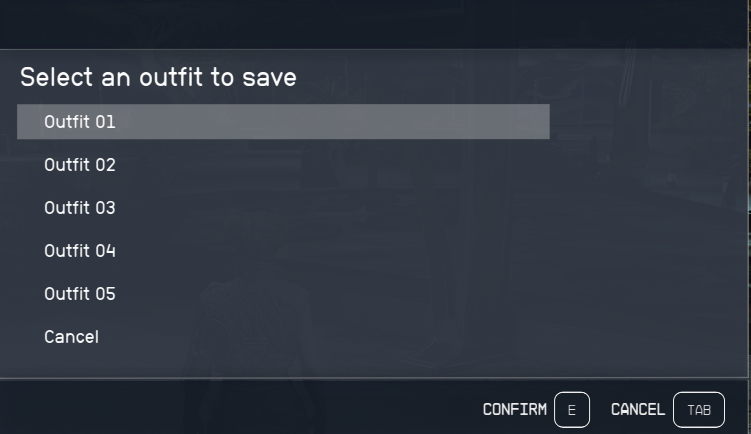
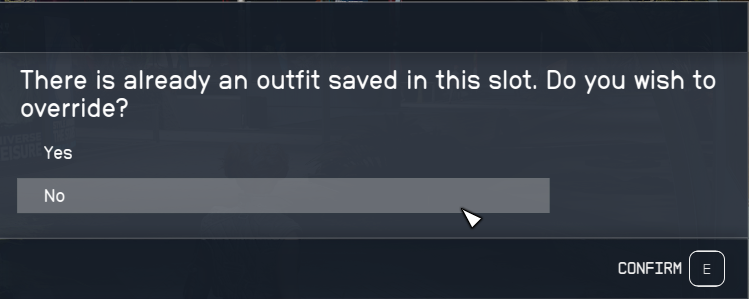
If you already have an outfit saved in that slot, it will ask you if you want to overwrite it:
Equip Outfit:
CGF “Aurie:AOS:OutfitSwitcher.Equip”
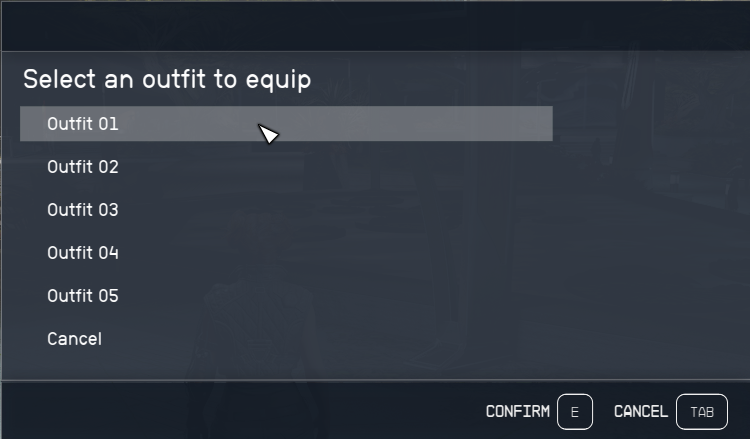
This will give you an in game prompt to choose the outfit you want to equip.
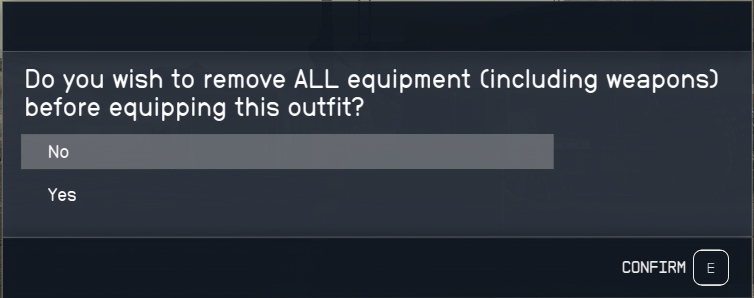
As of v1.1, you will be prompted on whether or not to unequip all items first.
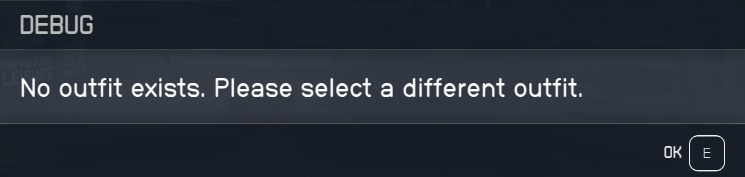
If there are no items saved in the selected outfit, it will let you know and show the outfit choices again.
Alternate:
These commands allow you to do everything in the console without the in game message boxes. Useful if you wanted to set up hotkeys to equip different outfits quickly.
Save Outfit:
CGF “Aurie:AOS:OutfitSwitcher.SaveOutfit” 1 false
The 1 is the outfit number and the false is telling the script whether or not to overwrite the outfit if it currently has items stored.
Equip Outfit:
CGF “Aurie:AOS:OutfitSwitcher.EquipOutfit” 1 Updated in v1.1
CGF “Aurie:AOS:OutfitSwitcher.EquipOutfit” 1 false
The 1 is the outfit number and the false tells the script not to unequip all items.
If the outfit you specified is empty, it will let you know. Otherwise it will ask if you want to remove everything currently equipped and equip the items stored in that outfit slot.
Credits:
Aurie
You can download this mod by clicking here.